On-Premise
Linetrack in your
own data centre
- Data stays inside your network
- No internet access needed to operate
- Perpetual right of use
The on-premise installation is available on request. Scope, schedule and terms are agreed per installation.

How it works
From first enquiry to handover
An on-premise installation is a project, not a download. Four steps in a fixed order – who takes which one is settled beforehand, not halfway through.
Agree the requirements
Together
System environment, network structure, sign-in method, and the question of which existing lists are to be migrated. The result is a clear split between what your IT provides and what we deliver.
Provide the server
Your IT
You provide a virtual machine running Linux with Docker, plus an internal DNS name and a certificate. The requirements are listed below and can be passed on as they stand.
Installation and setup
Linetrack
We install the application, the database and the reverse proxy, set up authentication and load your master data: projects, departments, resources, calendars.
Briefing and acceptance
Together
Your IT is briefed on start, stop, backup and restore, and receives an operations handbook. Acceptance runs against a set of test cases agreed in advance.
Feature set
The same software, just on your server
Running it yourself does not mean a reduced version. Whatever can be planned in Linetrack can be planned on your server – the interface your staff see is the same one.
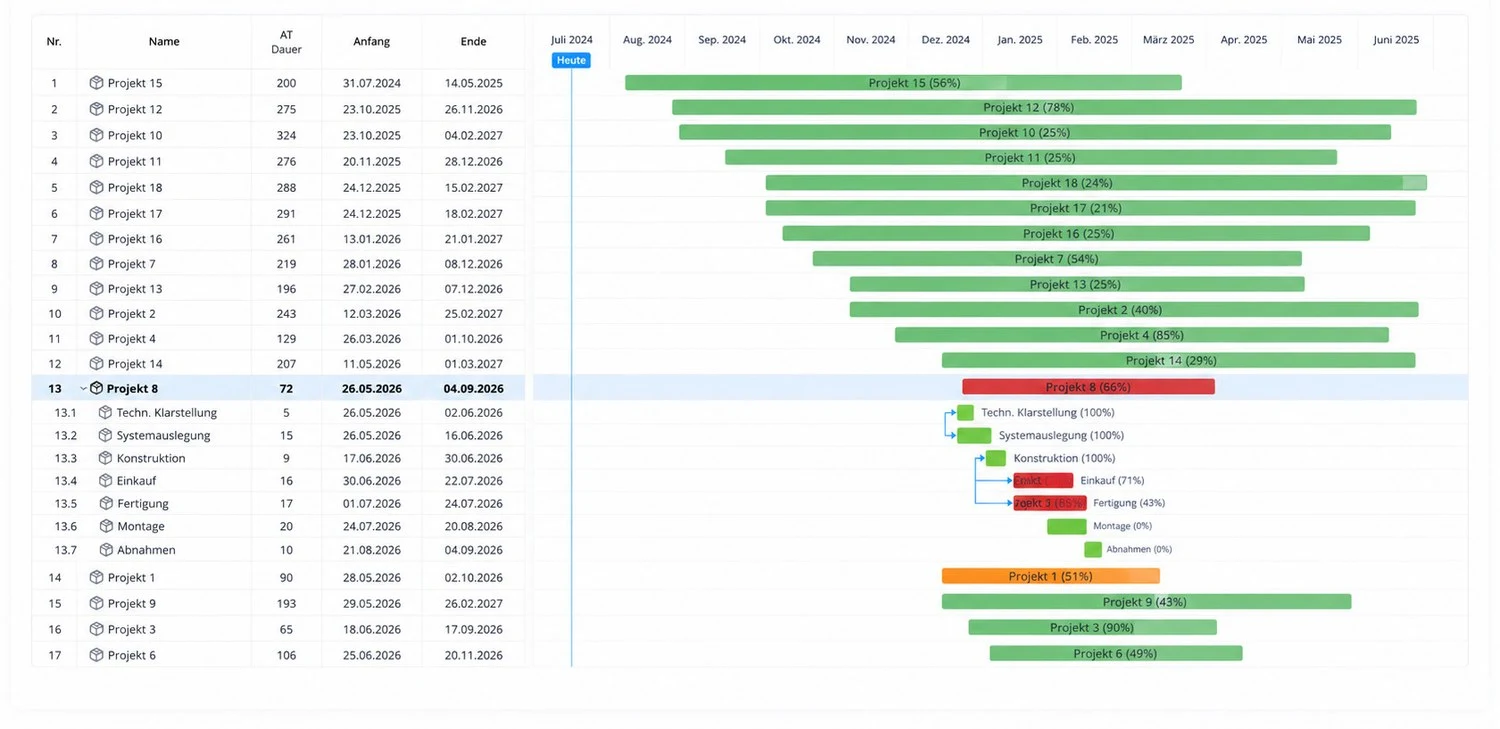
Multi-project management and portfolio
Every running project in one overview, with dates, milestones and dependencies across project boundaries.
- Portfolio and single project
From the overall picture down to the individual task, without switching planning tools. - Change history
Who moved which date and when stays traceable – stored on your server.
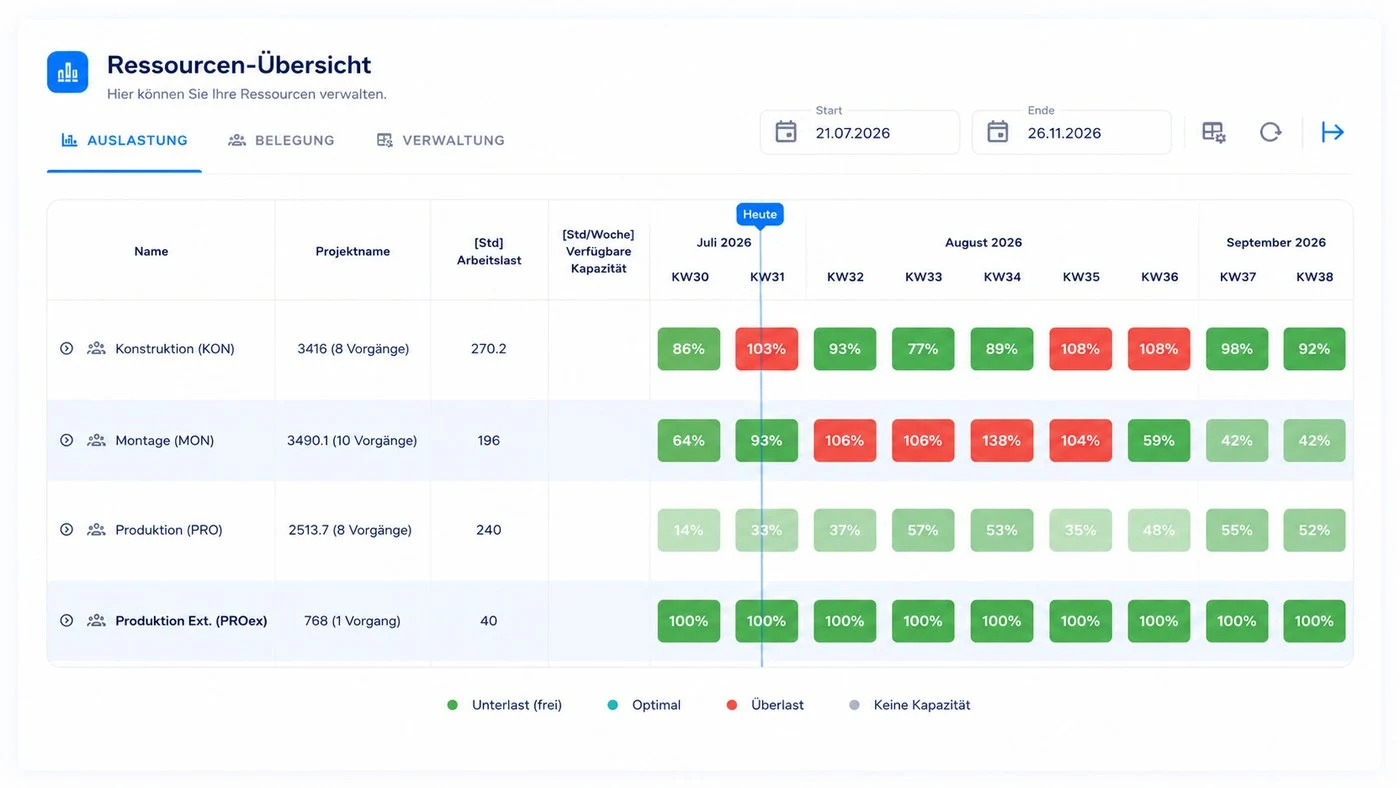
Scheduling and capacity planning
Capacity across all trades and departments, calculated against the tasks actually planned.
- Utilisation instead of gut feel
Whether three more projects fit into the plan becomes a calculation. - No double booking
A resource booked twice shows up while planning, not on the day.
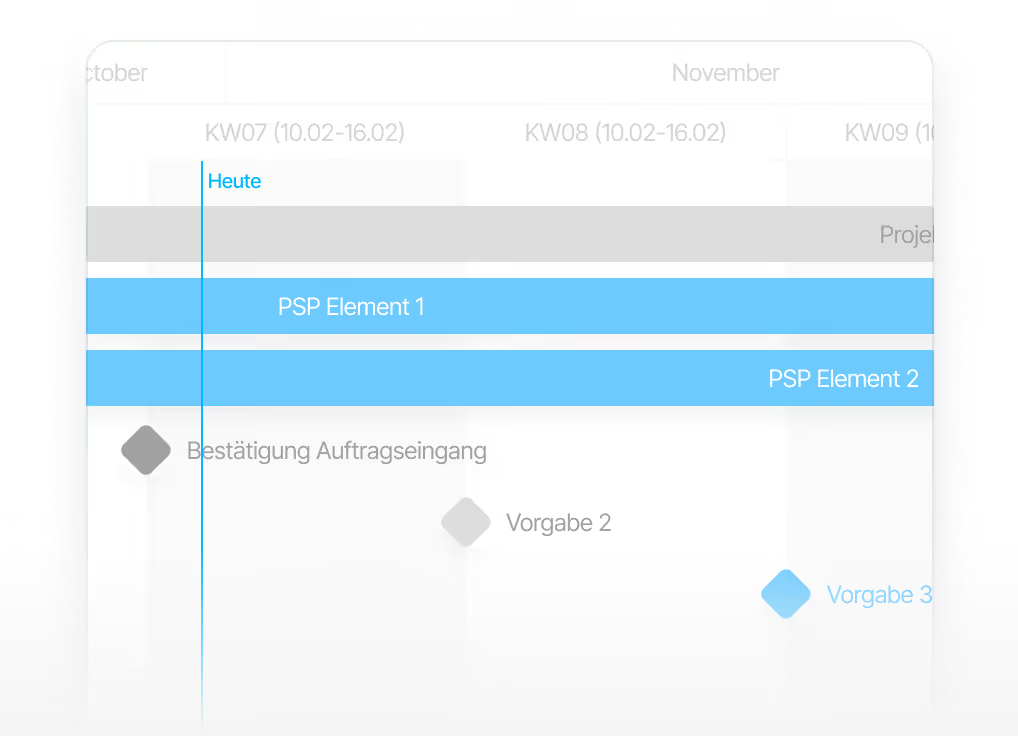
Suppliers and external parties
External parties work on a clearly bounded section of your plan, with their own dates and deliverables.
- Access from your network
Running it yourself, your IT decides how external parties reach the system – over VPN, through a hardened portal, or not at all. - Feedback inside the project
What the supplier reports lands on the task, not in an inbox.
The trade-off
What changes compared to us running it
Running it yourself solves exactly one problem: your data stays with you. Everything else we take care of becomes your IT department's job. Both sides are set out here.
Requirements
What your IT needs to provide
Nothing exotic: a virtual machine running Linux with Docker. These details are written so you can pass them to your IT department unchanged.
Straight talk
When running it yourself is the wrong call
Not every company that asks for on-premise actually needs it. These three points are why most of our customers end up letting us run it after all.
Operations become your job
Availability, monitoring, operating system updates and certificate renewals sit with you. Without an IT department behind it, you are buying a standing task rather than a solution.
New things do not arrive by themselves
Your installation stays at the state it was delivered in. Further development is a separate, agreed piece of work – not something that happens overnight.
Recovery depends on your backup
A backup that has never been restored is not a backup. Running it yourself, your IT verifies that, not us – and the day it matters is the worst day to try it for the first time.
Common questions
Questions about running it yourself
Is running it yourself right for you?
In a short call we work out whether your requirement really calls for on-premise – and what it means for your IT department.
Does the full feature set run on-premise?
Does the full feature set run on-premise?
Does the server need internet access?
Does the server need internet access?
How do new features reach our installation?
How do new features reach our installation?
Can we keep using the mobile app?
Can we keep using the mobile app?
Does sign-in via our Microsoft 365 work?
Does sign-in via our Microsoft 365 work?
Can an AI assistant be connected?
Can an AI assistant be connected?
Can existing Excel and Access lists be migrated?
Can existing Excel and Access lists be migrated?
What if we later want you to run it after all?
What if we later want you to run it after all?
On-Premise
Linetrack on your server
Tell us what your policy requires and what system environment you have. We will tell you what an installation at your site would look like – and whether it is the right route.

Still deciding?
See which modules Linetrack brings
– the feature set is the same when you run it yourself.