Interfaces
Interfaces and
Integrations

In short
An interface in project management automatically transfers data between the project software and the system that owns it: ERP, time tracking or HR. Linetrack connects to ERP systems, AIDA, Finkzeit and OptiTime, and provides a REST API. Imports from MS Project, Primavera, Excel and SAP need no development. 56% of customers had a live connection running within six months.













56%
customers with a live
connection
100%
of those import
staff absences
50%
of those also import
actual hours
39%
of those have an
ERP connection
Every figure on this page comes from a full survey of all live Linetrack implementations, as of August 2026. Counted are interfaces built within the first six months after go-live.
Challenges
Why project data gets maintained
twice without an interface
Planning depends on data created elsewhere: absences in time tracking, orders in the ERP, logged hours in time entry. Without an interface, all of that turns into manual work – four patterns that repeat in almost every rollout.
Absences sit in HR, not in the plan
Vacation, sick leave, parental leave and part-time models are managed in time tracking. As long as they stay there, project managers plan against capacity that does not exist on that day. That is exactly why the absence import is the first interface Linetrack customers commission.

Actual hours live apart from the plan
Logged hours end up in the ERP or in time tracking while the plan sits next to them. The planned-vs-actual comparison is then assembled from exports, pivot tables and manual work – and lands long after the project has moved on.
Master data is maintained twice
New employees, cost centres, order and project numbers are created in the ERP and then have to be copied into the project system. Every missed change creates a second version of the truth – and precisely the mistrust the rollout was meant to remove.
Migration stalls on the legacy plans
Years of schedules sit in MS Project or Primavera, plus project lists in Excel and master data in SAP. Having to retype them during a system change delays the rollout. In Linetrack that import is a standard feature – so it is no longer an argument against switching.
Definition
What is an interface in project management?
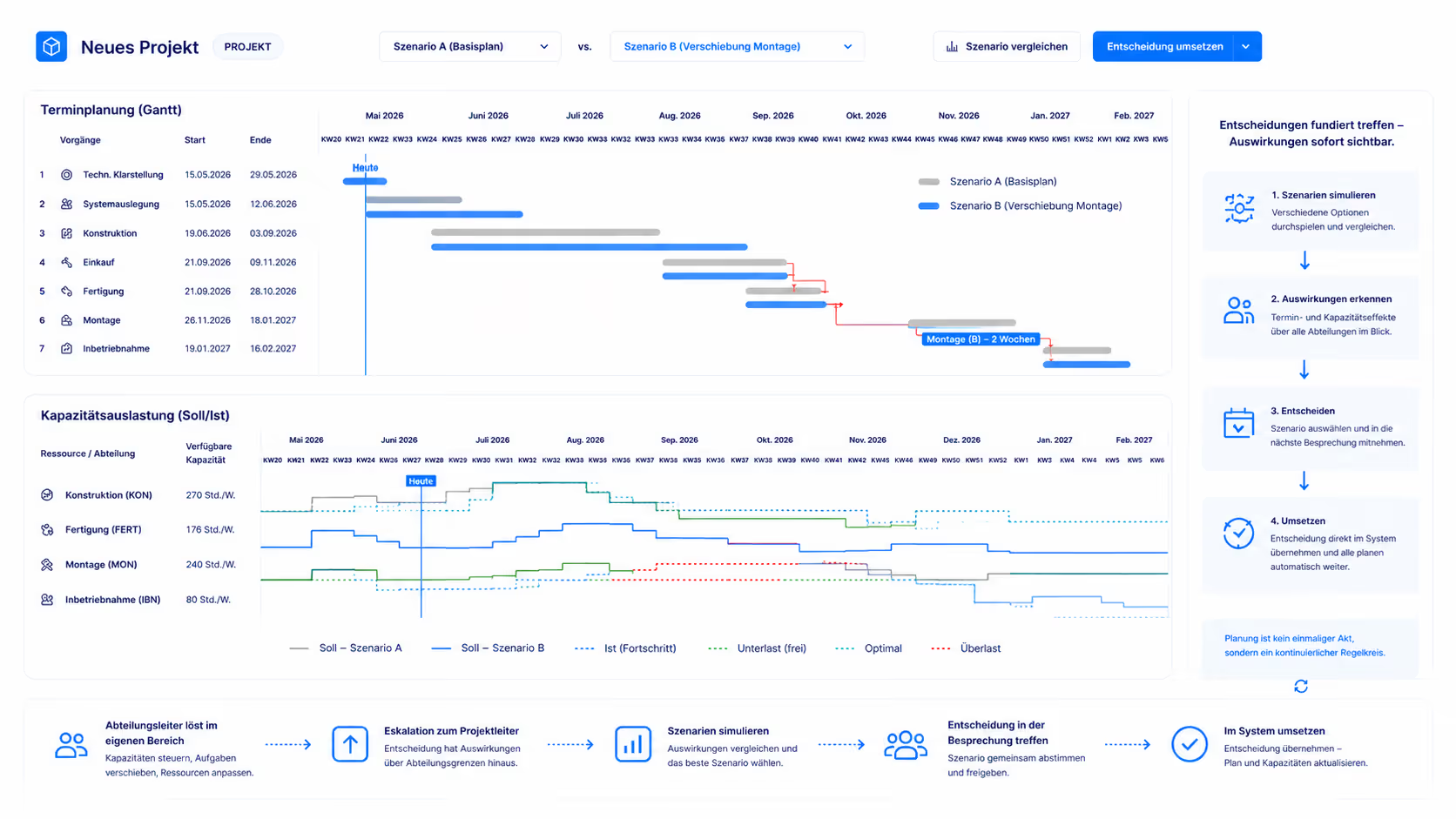
An interface in project management is an automated data connection between the project software and a system of record – typically ERP, time tracking or HR. It transfers defined fields on a schedule and in a defined direction, instead of exports and re-imports. Every record stays in the system that owns it and is still available for planning.
At Linetrack this serves a specific purpose. Scheduling and capacity planning is only reliable when it knows real availability. Vacation, sick leave, parental leave and part-time models, however, are not created in the project system but in time tracking or HR. The interface picks up exactly that data and hands it to resource management, where individual availability adds up to department capacity.
Two kinds of connection
One-off data takeover or
live sync
Both routes are already built and ready to use. The difference is not the price but whether data is taken over once or stays in sync permanently.
One-off data takeover: MS Project, Primavera, Excel and SAP
Linetrack reads existing MS Project and Primavera schedules, Excel project lists and SAP master data directly – the imports are already built, part of the product and run out of the box. This is the usual migration path: the existing plan is carried over instead of re-entered. More than 400 planning tools have been replaced this way, most of them Excel lists.
Live sync: ERP, time tracking, HR
With AIDA, Finkzeit and OptiTime the sync runs permanently: absences, working-time models and, on request, logged actual hours arrive in planning automatically instead of being exported and read back in. These connections are built and ready too. Effort only arises where your data differs from what has been implemented so far – different fields, a different configuration, or a system that is not connected yet.
The decisive point
What interface customers connect first
56% of Linetrack customers had an interface built within the first six months after go-live. Without exception, all of them import staff absences from time tracking or HR. That is the most telling figure on this page.
The reason is unglamorous and still decisive: capacity planning that does not know about vacation, sick leave, parental leave and working-time models is planning against capacity that is not there. Reliable capacity planning needs real availability data – and that data is created in time tracking, not in the project system.
Actual hours come second: 50% of those import logged hours back into the plan and turn them into a planned-vs-actual comparison without manual work. 39% of those have an ERP connection – usually for orders, project numbers and master data, so the project structure is not maintained twice.
The other reading of the same survey matters just as much: An interface is not a prerequisite for getting started: in the first six months, 56% of customers had a live connection in place, the others worked without one in that period. Multi-project management, scheduling and capacity planning all work standalone. An ERP integration is an amplifier, not a prerequisite – and no reason to postpone the rollout until IT has capacity.

Overview
Which systems Linetrack connects to
The overview lists the systems connected to Linetrack in live use today, which data flows in each case, and whether it is taken over once or synced continuously. Every connection listed here is already built and does not have to be developed again for your project.
The list reflects what has come out of customer projects so far, not a closed set – further systems can be connected through the REST API. Which fields your specific system provides, and how often data is synchronised, is something we work out in conversation: get in touch.
How it works
How does connecting an interface work?
An interface is not built on day one. The rollout starts in project management – ten working days pass between kick-off and go-live. Connecting an interface belongs to the third phase of the implementation, once live use has shown which data the plan is actually missing.
That sequence is deliberate. Specifying an interface before the first planned project means agreeing on fields whose value nobody can judge yet – and routinely building more than planning will ever use.
Effect on planning
What the imported data actually changes
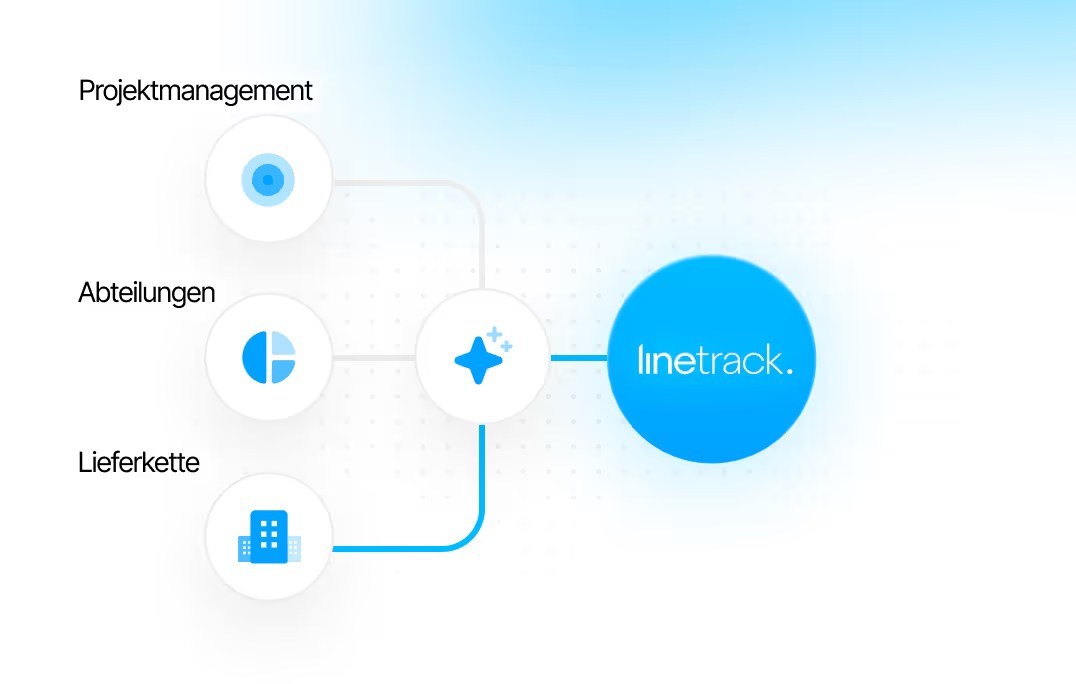
An import is not an end in itself. Absences from time tracking feed straight into the capacity view: department capacity is derived from individual employee availability, minus vacation, sick leave and ongoing projects. Overloaded people are visible immediately, and so is free capacity.
That shifts what the project meeting is about. The question is no longer whether the numbers are right, but which decision they point to: extend, reschedule, reallocate or outsource.
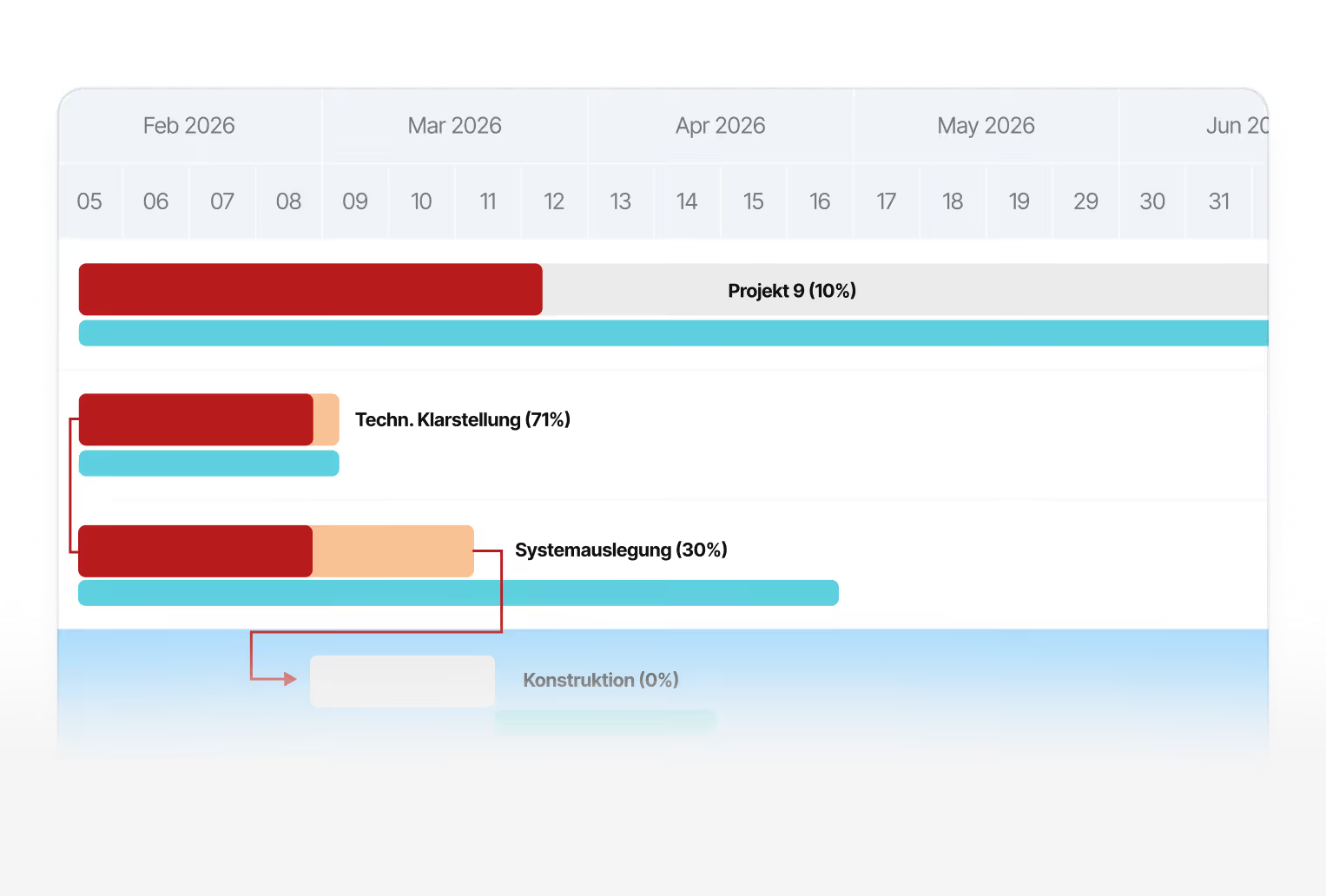
The second effect is about feedback. When actual hours come back from time tracking or the ERP, the planned-vs-actual comparison happens without duplicate entry – employees keep logging where they always have, and planning still sees what was actually consumed. That is why 50% of customers with an interface commission this import as their second step.
One honest note to close on: for the systems listed here there is no separate interface development to pay for – those connections are done. Linetrack starts at 10 € per user and month under a modular licence model based on user count, roles and the feature modules booked. Effort arises where your data differs from what has been implemented so far, or where a system that is not connected yet comes into play; that is quoted per project. If you need detail on a specific vendor, ask us via contact.
Case Study
Planning that runs on real availability
Before the connection, absences were estimated in project planning – or simply ignored. Today, vacation, sick leave and working-time models flow from time tracking into the capacity view. Department capacity is no longer a matter of experience but a calculated figure – and the basis for actually meeting the dates you commit to.
„With Linetrack, we've eliminated countless opaque plans."


FAQ
Frequently asked questions
Still have questions?
Book a meeting with our team.
Which systems can Linetrack connect to?
Which systems can Linetrack connect to?
Is the MS Project, Primavera and Excel import a custom-built interface?
Is the MS Project, Primavera and Excel import a custom-built interface?
Why do almost all customers import staff absences first?
Why do almost all customers import staff absences first?
What does an interface cost at Linetrack?
What does an interface cost at Linetrack?
Is there a REST API for custom connections?
Is there a REST API for custom connections?
How long does connecting an interface take?
How long does connecting an interface take?
Does Linetrack require an ERP connection?
Does Linetrack require an ERP connection?
How do actual hours get into the planned-vs-actual comparison?
How do actual hours get into the planned-vs-actual comparison?
Learn more
Linetrack in detail
The features that benefit from the connected data: