Resource planning
Spot resource conflicts and
capacity bottlenecks early

Quick answer
Resource conflicts in multi-project settings happen because most industrial companies track capacity per department – in separate spreadsheets or isolated tools that know nothing about each other. When a department books a specialist who's needed on another project at the same time, that usually only surfaces once both commitments collide. Linetrack replaces that with one shared data basis: schedules, resources and availability live in a single place instead of separate department spreadsheets, so every booking is instantly visible across the whole project portfolio.








91 %
of customers named
Excel/tool chaos as their starting point
56 %
went live with a running interface
within six months
1,512
industrial projects
run in parallel, platform-wide
4,000+
completed
industrial projects, platform-wide
All figures on this page come from a full survey of every live Linetrack implementation, as of August 2026. Multiple answers were possible for the Excel/tool chaos and interface go-live figures.
Symptoms
How resource conflicts
show up day to day
Resource conflicts rarely announce themselves. They show up as small, recurring patterns long before they become an open problem.
Double-booked specialists
The same specialist gets booked onto two projects at once because the two plans know nothing about each other. The conflict only surfaces once both deadlines fall due at the same time.


Capacity visible only per department
Every department knows its own workload, but nobody sees capacity across all projects and departments at once. Bottlenecks hide in the gap between the spreadsheets.
Decisions made without visibility into other projects
A project lead commits to a delivery date without knowing the same department was already booked onto two other projects the week before.
Overload discovered too late
It only becomes visible that a department has been overbooked for weeks once a deadline slips or an employee raises the alarm.
Structure
What a shared
data basis changes
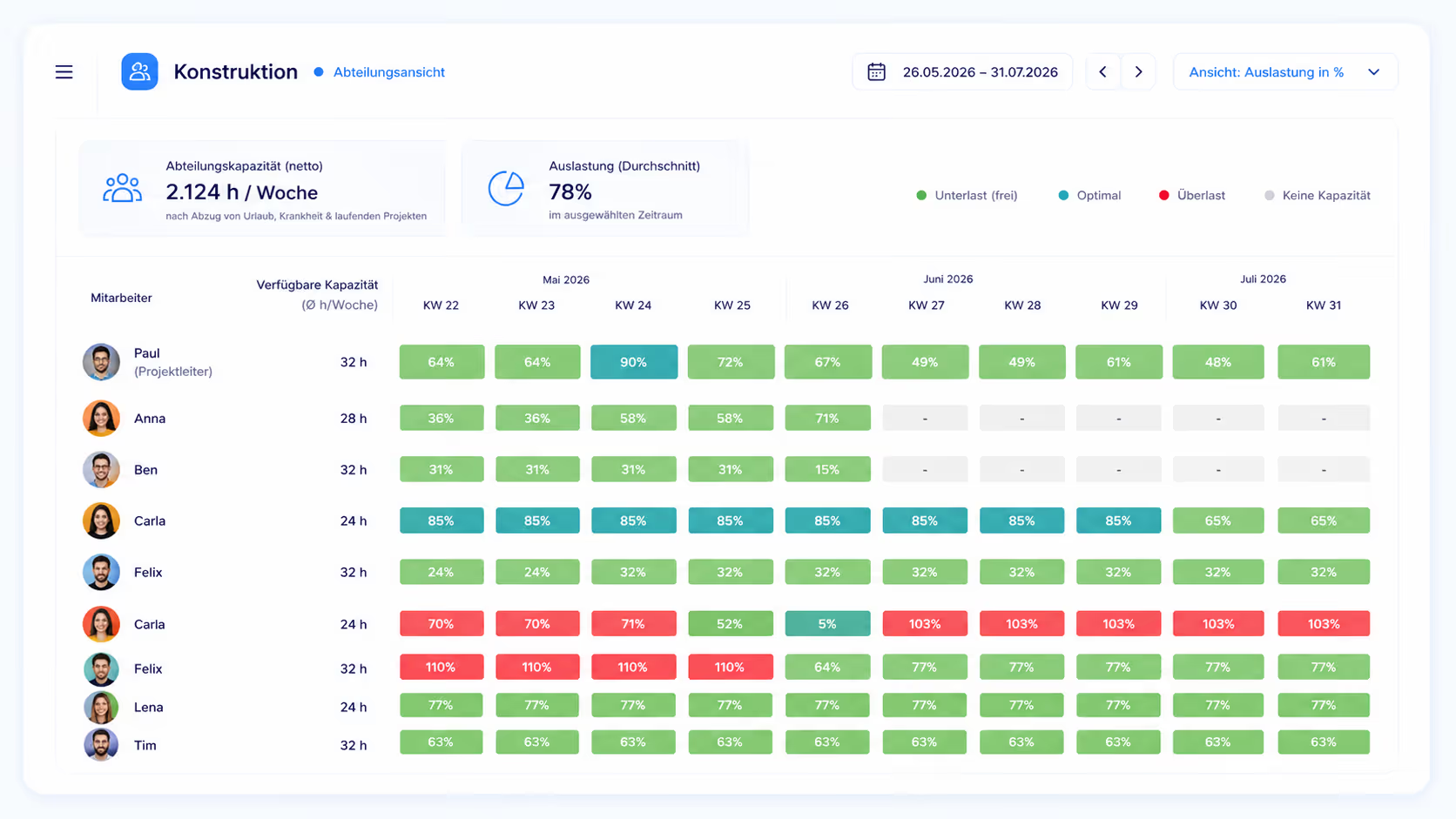
The difference isn't an extra dashboard – it's where the data comes from. In Linetrack, a department's capacity isn't maintained separately; it's derived automatically from each employee's individual availability, minus vacation and absences. That availability arrives through an interface from time-tracking or an ERP system. Linetrack itself doesn't track working time – it takes over the data from the system where it's already recorded.
Next steps
Where to
go next
Depending on what you need next: the feature in detail, or the day-to-day workflow.
Resource management in detail
How forecasting, department-level planning and utilization monitoring are built as a feature – for anyone who wants to know what the tool actually does.
The planning chain, step by step
How scheduling and capacity planning actually run day to day between sales, project leads and departments – for anyone who wants to understand the workflow before booking a demo.
FAQ
Frequently asked questions
Still have questions?
Book a slot with our team.
What are typical resource conflicts in project-based industrial work?
What are typical resource conflicts in project-based industrial work?
How do you spot capacity bottlenecks early?
How do you spot capacity bottlenecks early?
Is a spreadsheet enough for resource planning?
Is a spreadsheet enough for resource planning?
What does resource and capacity planning with Linetrack cost?
What does resource and capacity planning with Linetrack cost?
Does Linetrack automatically recalculate the plan when a project shifts?
Does Linetrack automatically recalculate the plan when a project shifts?
How many employees is this suited for?
How many employees is this suited for?
Learn more
Linetrack in detail
The features behind the shared data basis: