Comparison
Linetrack vs.
ERP project module

In short
An ERP project module and Linetrack answer two different questions. The ERP calculates on the work breakdown structure how many hours and how much cost each WBS element may incur, and books actual costs against it. Linetrack plans when those hours are worked: with tasks, dependencies and a critical path, and with the load on every department across all projects. So it is not either-or. Linetrack is connected to the ERP, takes over the hour budgets and puts the schedule behind them. The budget per WBS element becomes a real load on the departments.












39 %
of customers with a live interface
have connected their ERP
56 %
had a live interface running
within the first six months
1512+
industrial projects
managed in parallel
10 days
from kick-off
to go-live
Every figure on this page comes from a full survey of all live Linetrack implementations, as of August 2026.
Starting point
What the ERP project module was built for
The ERP project module lives in the work breakdown structure. Every WBS element gets a costing: planned hours per cost centre, material, subcontracted work and the resulting cost. As the project runs, actual hours and actual costs are booked against exactly those elements. For quotation costing, budget control and project controlling this is the right place, and that is where these figures belong.
The project module knows how many hours a WBS element may cost. It does not know in which week engineering can work those hours when twenty other projects need the same people. How the other system categories fit in is covered in the software comparison.
Planning levels
Where the ERP project module sits in planning
Industrial projects are planned on three levels: project planning with a resource forecast, detailed and staff scheduling in the departments, and task tracking by staff. The ERP project module sits next to the top level. It calculates the project costs and books the actual costs against them. It is not built for the dates on the three levels.
Next to the ERP, three more islands therefore usually appear: a schedule, department sheets and a task tool. Linetrack replaces those three, takes over the hour budgets from the ERP and sets the reported actual hours against them in a plan-vs-actual comparison. The ERP integration page lists which data flows.
Breaking point
Where cost logic reaches its limit
The limit of the project module is not the costing. It is the point where hours are supposed to turn into dates.
None of this is a flaw in the ERP. The project module is built for the cost side and does it well. The scheduling side needs a different structure: tasks with dependencies and capacity across all projects. How that fits together is described on the scheduling and capacity planning page.
Core argument
The ERP costs, Linetrack schedules
Comparing an ERP project module with Linetrack means comparing two halves of the same job. The cost side belongs in the ERP: costing per WBS element, booking actual costs, budget control. Linetrack changes nothing about that.
The scheduling side needs the same hours, but with a date and a department. Linetrack takes over the hour budgets from the ERP and puts the schedule behind them. The budget per WBS element becomes a load per department and week.
The test: ask whether engineering is overbooked in March. The ERP knows the hour budgets of every project, but not when they fall. The answer only exists once every budget hangs on a task with a date.
When actual hours come back, the loop closes: plan and actuals sit side by side, without entering anything twice. That is what the plan-vs-actual comparison shows.

Side by side
ERP project module
versus Linetrack
Seven points where the difference in scope shows up day to day. This is not about feature lists but about what each system is built for.
The table describes a division of labour, not a replacement. Orders, project numbers, cost centres and master data stay in the ERP and are kept in sync. Which fields that covers in detail is set out on the ERP integration page.
Security & Trust
Your data. Secure in Germany.
Linetrack runs entirely within the EU – hosted with an ISO-certified partner, fully encrypted, and backed up regularly.
Made in the EU
GDPR-compliant
Hosted in Germany
Application, database, and backups run exclusively with Hetzner in the Falkenstein data center.
Fully GDPR-compliant
Your data is processed and stored exclusively within the EU.
ISO/IEC 27001:2022-certified data center
Our hosting partner operates the data center to the internationally recognized ISO/IEC 27001 security standard.
Encrypted in transit and at rest
Data transmission via TLS 1.2/1.3, storage secured with AES-256 encryption.
Multi-tier backups
Hourly, daily, and monthly backups with a typical recovery time of under one hour.
Honest boundaries
When the ERP project module is enough on its own
Not every company needs a planning system next to its ERP. Four cases in which the project module is sufficient:
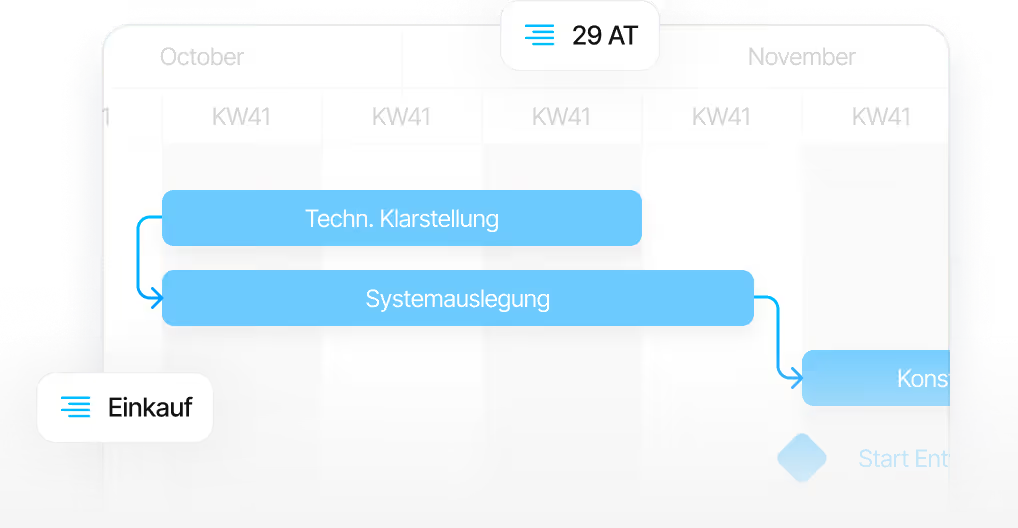
The case where Linetrack makes the difference: many parallel projects whose hour budgets sit in the ERP, but whose dates are coordinated in Excel lists and meetings. If the question is how work is spread across machines and staff in production, the comparison with the detailed scheduling system fits better.
Integration
How Linetrack is connected to the ERP
The integration takes over what is created in the ERP: orders, project and order numbers, cost centres and master data are synchronised into Linetrack, together with the hour budgets from the costing. The project structure is therefore not maintained twice.
Which fields are transferred in which direction is matched to the configuration of each ERP system. The connection itself is built and in production use. Details are on the ERP integration page, the overview of all systems under interfaces and integrations.
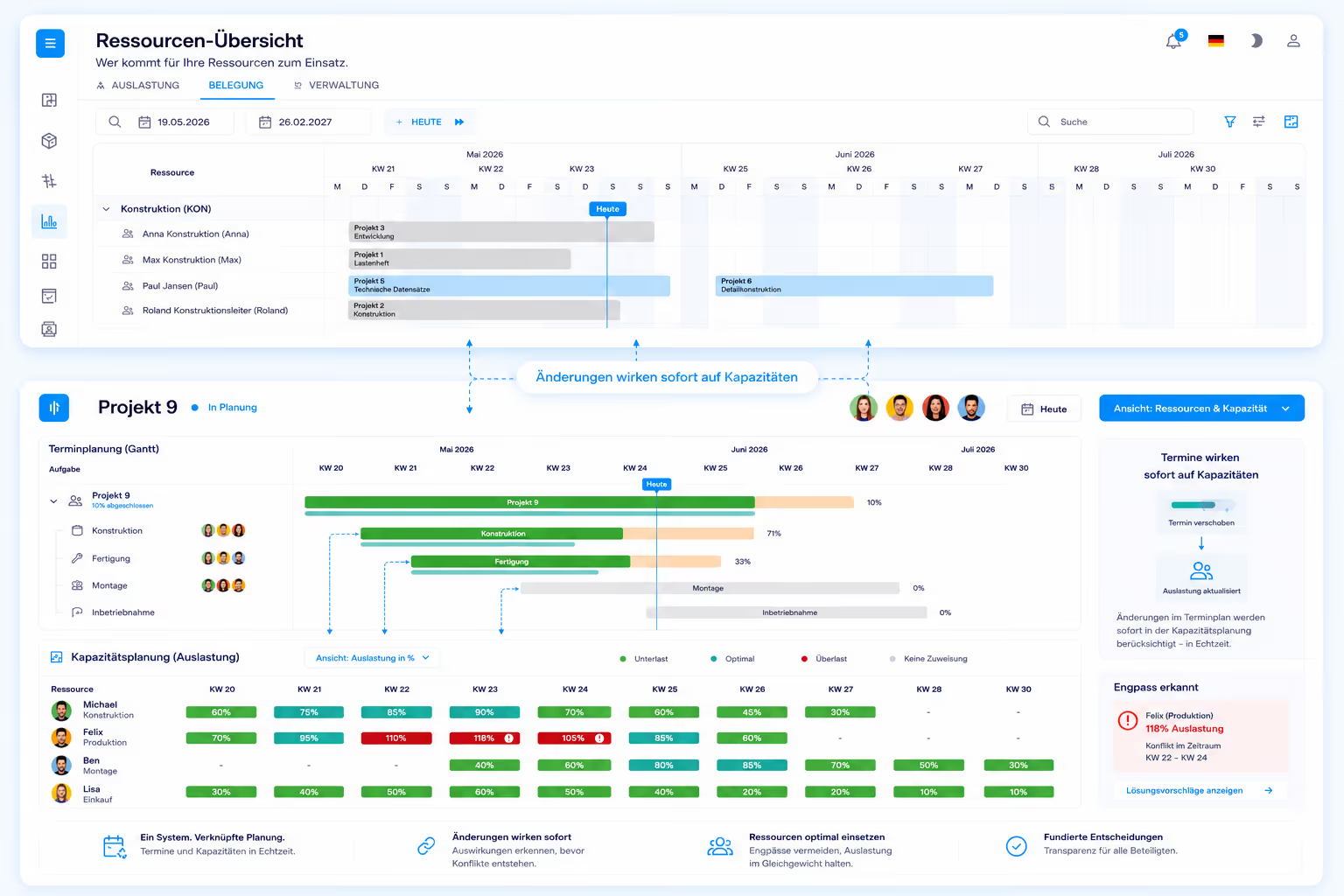
An ERP integration is not a prerequisite for getting started. In the first six months, 56 % of customers had a live interface; the rest planned without one. It takes ten working days from kick-off to go-live. The process is described on the implementation page.
FAQ
Frequently asked questions
Still have questions?
Book a meeting with our team.
What is the difference between an ERP project module and Linetrack?
What is the difference between an ERP project module and Linetrack?
Does Linetrack replace the project module in the ERP?
Does Linetrack replace the project module in the ERP?
Which data does Linetrack take over from the ERP?
Which data does Linetrack take over from the ERP?
Why not simply do the scheduling in the ERP?
Why not simply do the scheduling in the ERP?
Does Linetrack need an ERP integration to get started?
Does Linetrack need an ERP integration to get started?
Is there a plan-vs-actual comparison with the hours from the ERP?
Is there a plan-vs-actual comparison with the hours from the ERP?
More comparisons
Learn more
Linetrack in detail
The modules behind scheduling and capacity planning based on the ERP costing: