Data takeover
MS Project Integration
into Linetrack

In short
The MS Project import takes over existing schedules with tasks, durations and dependencies straight into Linetrack - a one-off data takeover that is already built and runs with no development needed. Among the more than 400 planning tools replaced at Linetrack customers so far were MS Project plans migrated this way instead of being re-entered.
Data takeover
What Linetrack takes over from MS Project
MS Project is one of the systems Linetrack takes existing plans over from directly.
The full list of every connected system is on the interfaces overview.
Challenge
Why legacy MS Project plans would otherwise need retyping
Years of schedules sit in MS Project - with tasks, durations and dependencies that would otherwise have to be re-entered by hand during a system change. Doing that delays the rollout until there is capacity for it.
At Linetrack that import is a standard feature, not a special project - the migrated schedule is available straight away for scheduling and capacity planning.
The same logic applies where planning ran in Excel instead of MS Project - see the Excel integrationpage for details.
Anyone comparing MS Project and Linetrack in detail can find the breakdown under Linetrack vs. MS Project.
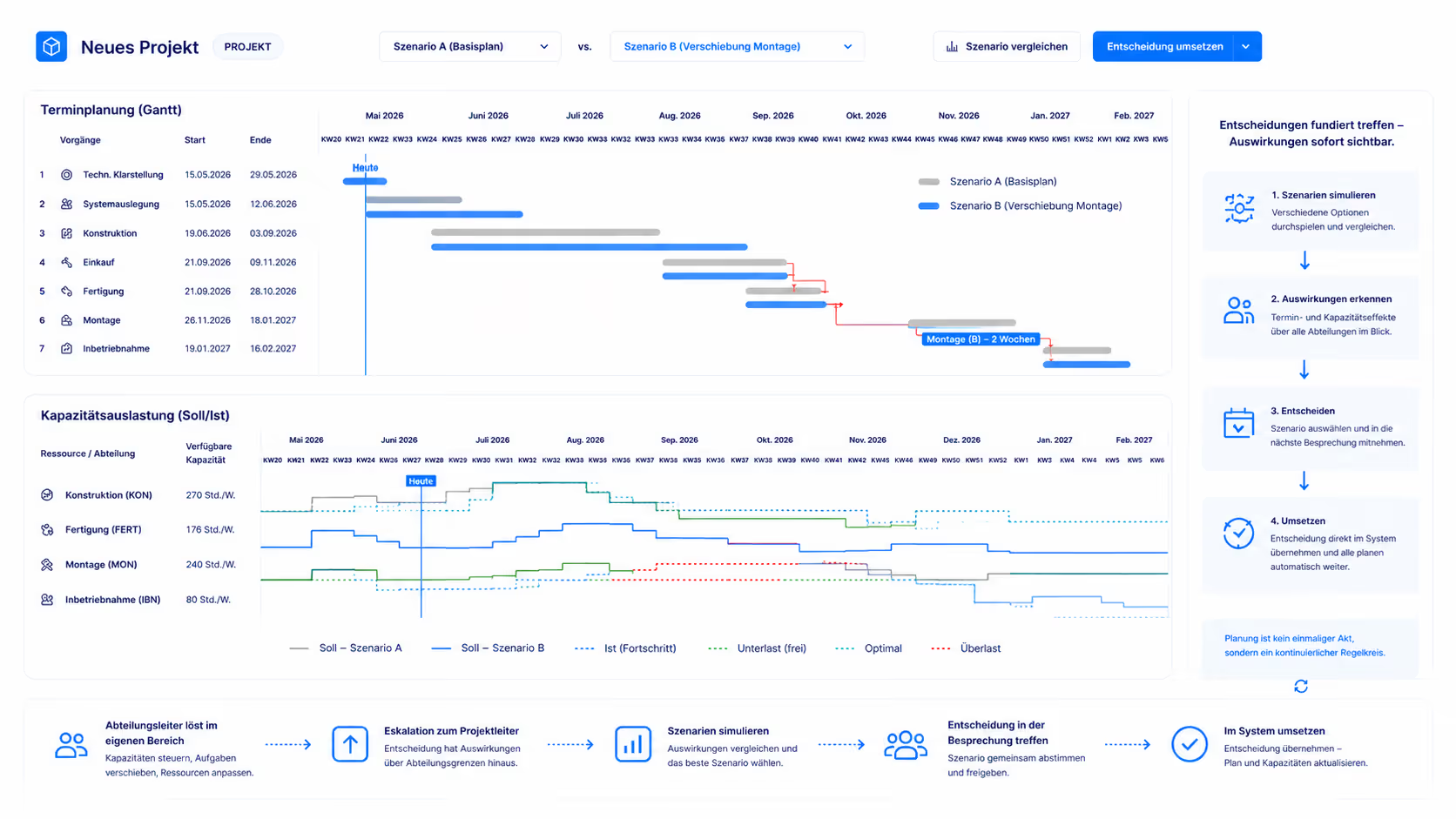
Effect on the rollout
Migration instead of re-entry

FAQ
Frequently asked questions
Still have questions?
Book a meeting with our team.
What data does Linetrack take over from MS Project?
What data does Linetrack take over from MS Project?
Is the MS Project import a one-off takeover or a live sync?
Is the MS Project import a one-off takeover or a live sync?
How many projects have already been taken over from MS Project?
How many projects have already been taken over from MS Project?
Does the MS Project import require extra development?
Does the MS Project import require extra development?
More integrations
Learn more
Linetrack in detail
The modules that carry the migrated schedule forward: