Tool comparison
Linetrack vs. Excel
in project planning

In short
Excel remains the right choice for a single, manageable project with exactly one owner; Linetrack is built for planning across departments and projects. The difference shows in day-to-day operation: an Excel file has exactly one owner, which is why copies and versions appear. Linetrack puts schedules and capacity on one shared data foundation where every department maintains its own share. Of more than 400 replaced planning tools, most were Excel spreadsheets.




















400+
Excel spreadsheets and
planning tools replaced
91 %
named Excel and tool sprawl
as their starting problem
1512+
industrial projects
managed in parallel
10 days
from kick-off
to go-live
Every figure on this page comes from a full survey of all live Linetrack implementations, as of August 2026. Multiple answers were possible for the starting problems.
Starting point
What Excel was built for – and where it breaks in industrial projects
Microsoft Excel is a spreadsheet application: a grid of cells that calculates, sorts, filters and analyses. It is excellent at exactly that, which is why it sits on practically every desk. A schedule emerges in it as a by-product – a start column, an end column, conditional formatting, done. That is not misuse of the tool, it is the obvious first step.
The breaking point is not drawing the plan, it is running it. An Excel file has exactly one owner: it lives in one place, one person maintains it, and write access is exclusive when it matters. As soon as several departments are supposed to work in it, you get copies, competing versions and e-mail attachments with a date in the file name. On top of that come the things a spreadsheet structurally does not know: Excel does not calculate task relationships, has no concept of departmental capacity, and keeps every project in its own file. How that plays out specifically in the bar chart is covered on the Gantt planning page; this comparison looks at the tool as a whole.
Planning levels
Where Excel is used in planning
Industrial projects are planned on three levels. Sales and project management create the schedule and the resource forecast. Below that, departments plan their share in detail and assign staff a few weeks before the work starts. Staff work through the tasks and report their status. Excel sits mostly on the upper two levels: as a bar chart in project planning and, even more often, as a stand-in system for staff scheduling. In other words, wherever no suitable tool exists or the suitable one is too expensive or too cumbersome.
The advantage is obvious: anyone can use Excel. Beyond a certain complexity, though, every department sheet looks different, and the sheets do not work together. Who booked the design team for which week then sits in three files with three different layouts. Linetrack puts forecast, staff scheduling and feedback on one data basis. The Resources and capacity page shows what that looks like in the departments.
In practice
Where the Excel plan breaks once departments and projects are added
As long as one person plans one project, the file holds up. Five points describe what happens once a second department and a second project come into play. Co-authoring in Microsoft 365 changes less than you would expect: it solves simultaneous access, not the structure behind it – a spreadsheet knows cells and sheets, but no roles per area of responsibility and no departmental capacity.
These five points are about operation, not about visualization. If you only want to know why a bar chart in Excel does not hold up as scheduling logic, the detail is on the Gantt planning page. If you are asking the question one level up – which category of software fits at all – the overview is in the software comparison.
Core argument
A spreadsheet or a shared plan
Excel is not a bad planning tool. It is an excellent calculation tool that also gets used for planning, because it is already there and because everyone can operate it. That is exactly why it is the most common predecessor: of more than 400 replaced planning tools, most were Excel spreadsheets.
The dividing line does not run between „can draw bars“ and „cannot“. It runs between a document owned by one person and a data foundation that several areas of responsibility work on at the same time. 91 % of customers named Excel and tool sprawl as their starting problem.
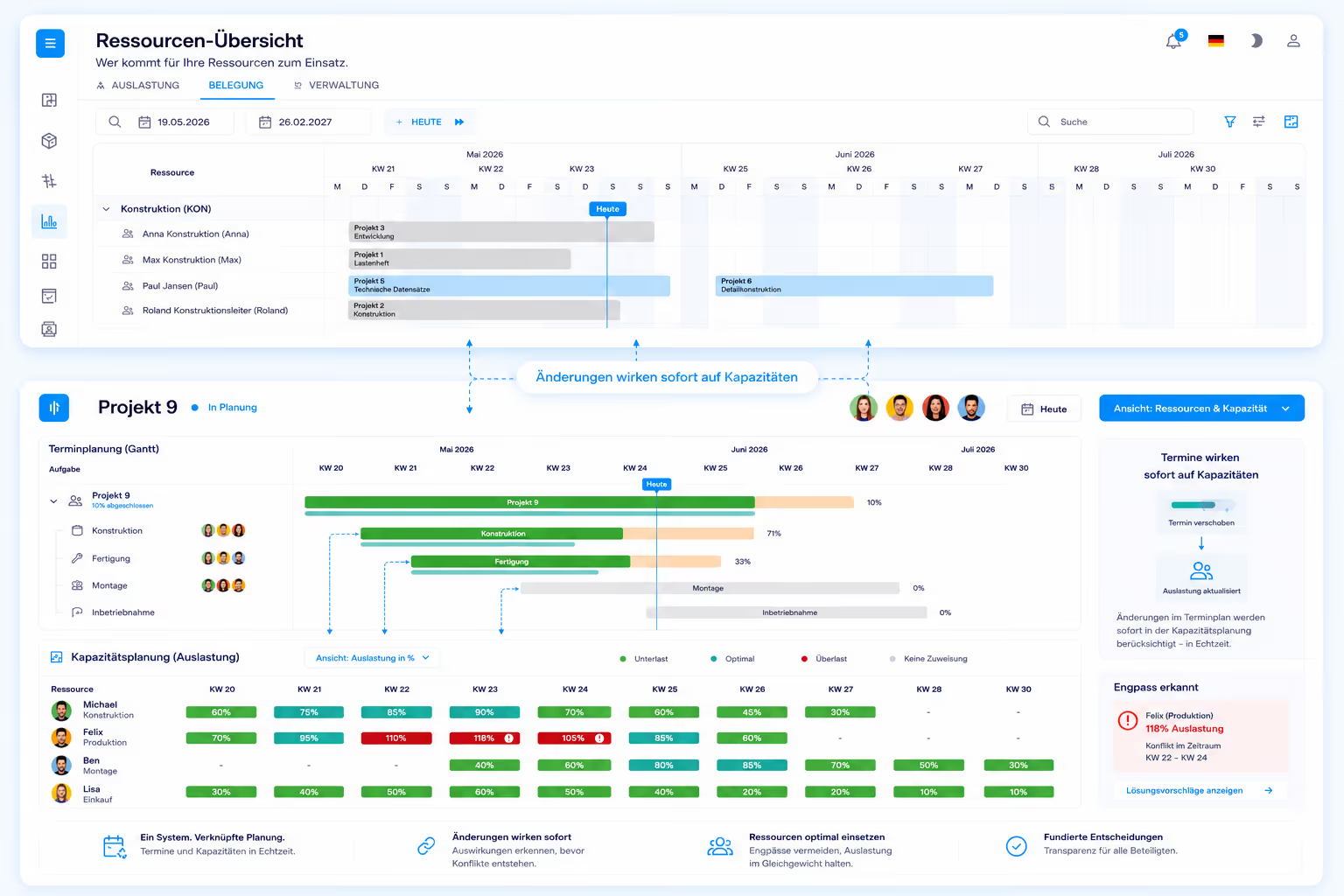
The test is simple: move one task two weeks later. In a spreadsheet, a date changes. In a shared plan, the linked successor tasks move with it, the hours shift in the capacity histogram of the affected department, and the project next door that had booked the same design engineer for the same period shows the conflict.
What Linetrack deliberately does not do is replan automatically. The software calculates the shift through the chain and shows the consequence – the decision is made by people who know the customer, the machine and the commitment. How schedules and capacity connect is described on the scheduling and capacity planning page.

In comparison
Microsoft Excel
versus Linetrack
The comparison is not about feature count – taken as a whole, Excel calculates more than any planning system. It is about seven points where project planning is decided in day-to-day operation.
The last row belongs to an honest assessment: if you want to calculate freely, you are faster in Excel than in any planning system, and Linetrack does not change that. The difference lies in where the binding schedule sits and who maintains it. That is what collaborative project management is about: departments maintain their own share instead of reporting it. Suppliers join the same schedule as actors in their own right, on a free collaboration licence.
Security & Trust
Your data. Secure in Germany.
Linetrack runs entirely within the EU – hosted with an ISO-certified partner, fully encrypted, and backed up regularly.
Made in the EU
GDPR-compliant
Hosted in Germany
Application, database, and backups run exclusively with Hetzner in the Falkenstein data center.
Fully GDPR-compliant
Your data is processed and stored exclusively within the EU.
ISO/IEC 27001:2022-certified data center
Our hosting partner operates the data center to the internationally recognized ISO/IEC 27001 security standard.
Encrypted in transit and at rest
Data transmission via TLS 1.2/1.3, storage secured with AES-256 encryption.
Multi-tier backups
Hourly, daily, and monthly backups with a typical recovery time of under one hour.
Honest assessment
When Excel stays the right choice
Excel is an excellent tool, and for part of the work in a project it remains the best one. Four cases in which switching gains you nothing:
Switching only pays off once several departments have to maintain the same plan or several projects compete for the same people. Until then the Excel file is not a problem but a solution with proportionate effort. From that point on, the question moves from visualization to organization – and therefore to multi-project management.
Switching over
How the switch away from Excel works
The Excel import is not a custom development but a finished standard function and part of the product – with no extra effort. Project and task lists with dates and hour values are read in directly. The existing planning is taken over instead of being retyped.
That removes the most common argument against switching: nobody has to retype planning files that have grown over years. The same applies to schedules from MS Project and Primavera as well as master data from SAP – the overview is on the interfaces and integrations page.
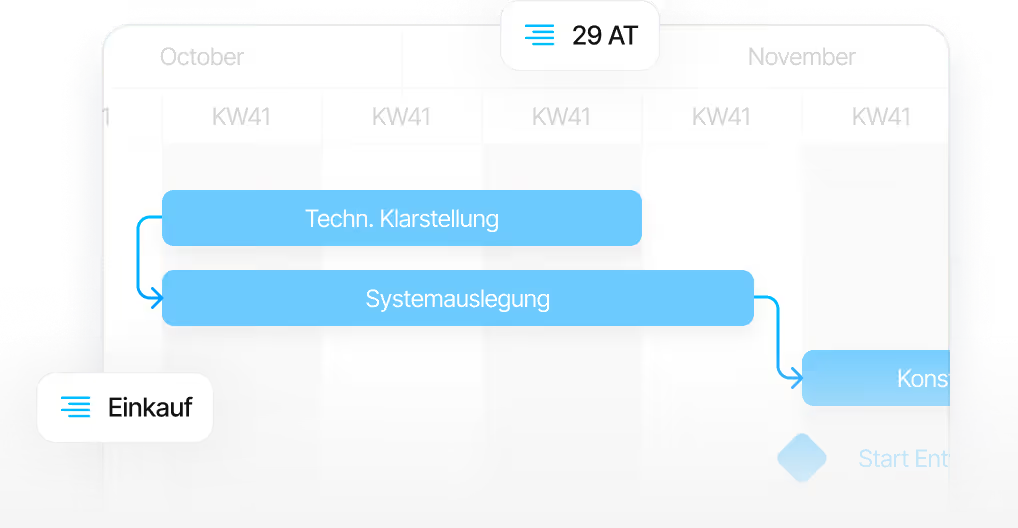
What matters afterwards is not the import but the first plan of your own. It takes ten working days from kick-off to go-live, regardless of company size. The process behind that is described on the implementation page; what planning looks like afterwards in mechanical and plant engineering is shown on the industry page. What such a switch looks like in practice for a machine builder is shown by the MSG Solutions case study – the old project management tool was fully replaced there.
FAQ
Frequently asked questions
Still have questions?
Book a meeting with our team.
Is Excel suitable for project planning?
Is Excel suitable for project planning?
When should you move from Excel to project planning software?
When should you move from Excel to project planning software?
How do I start staff scheduling in Excel?
How do I start staff scheduling in Excel?
What can Linetrack do that Excel cannot?
What can Linetrack do that Excel cannot?
Can existing Excel plans be moved into Linetrack?
Can existing Excel plans be moved into Linetrack?
How long does the switch from Excel to Linetrack take?
How long does the switch from Excel to Linetrack take?
What does Linetrack cost compared with an Excel solution?
What does Linetrack cost compared with an Excel solution?
More comparisons
Learn more
Linetrack in detail
The modules that take over the work after moving away from Excel: