Mobile app
Linetrack Mobile App
for iOS and Android
Or scan with your phone:



Solution
How the Linetrack mobile app works
The app is Linetrack's feedback end. Whoever completes a task reports it from where they are standing: on the shop floor, at the customer's site, at the machine. The status is in the project the same moment, without a phone call and without someone else typing it up later.
Tasks are on the device
Every user sees their due tasks with project, phase and due date, filtered by in progress, overdue, current and upcoming.
Feedback from the job site
Status and percentage complete are set directly on the task, including the actual start and end dates.
Evidence stays with the task
A photo, a test report or a measurement goes from the app straight to the task. Questions are raised as comments in the same place.
The plan reflects reality
Feedback lands in the project without an intermediate step. Dates, capacity and dependencies on the desktop carry on from there.
Mobile app
The app in day-to-day work
Four things can be done on the move. Nothing more: structure, dates and capacity stay on the desktop.
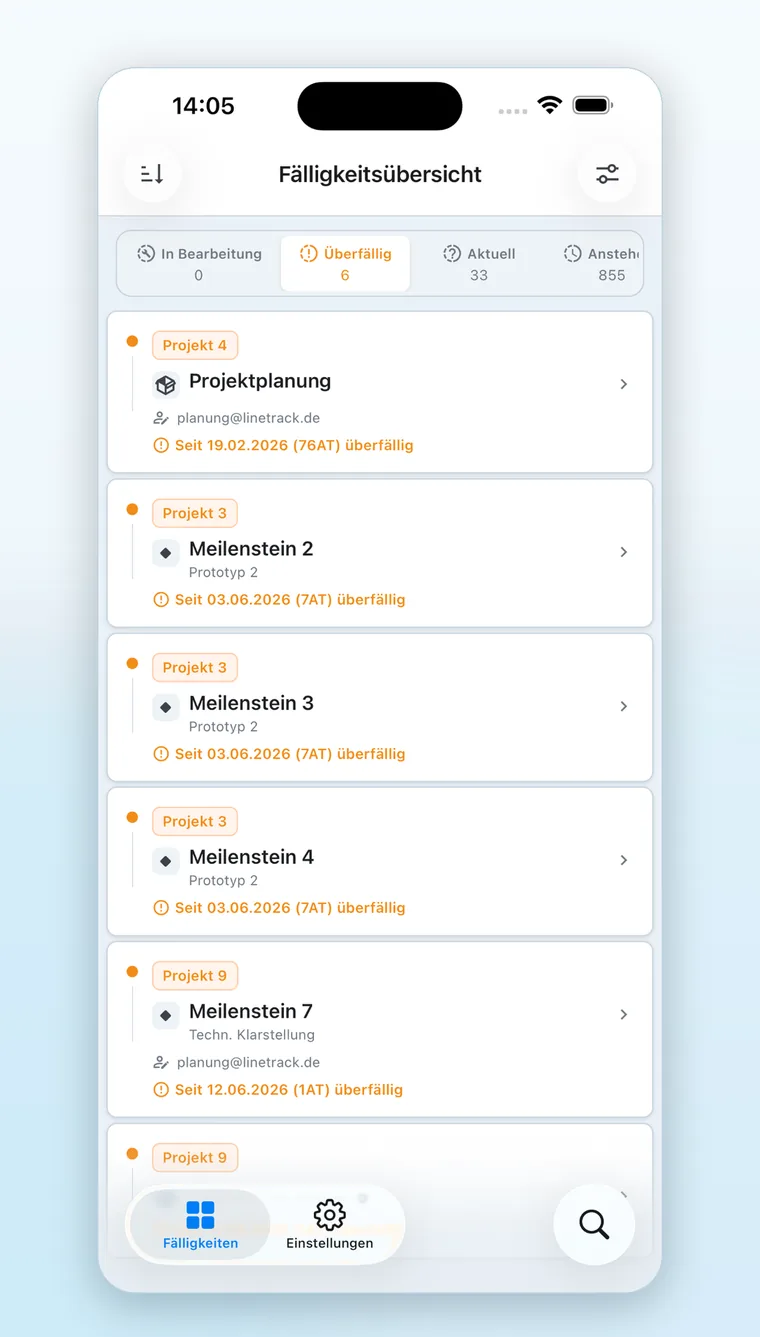
Due tasks at a glance
The due-date overview answers the question people actually ask on site: what is up now?
- Filter by status
In progress, overdue, current and upcoming. Overdue entries show how many days they are late. - Context on every entry
Project, milestone and phase sit on the task, from release through assembly to acceptance.
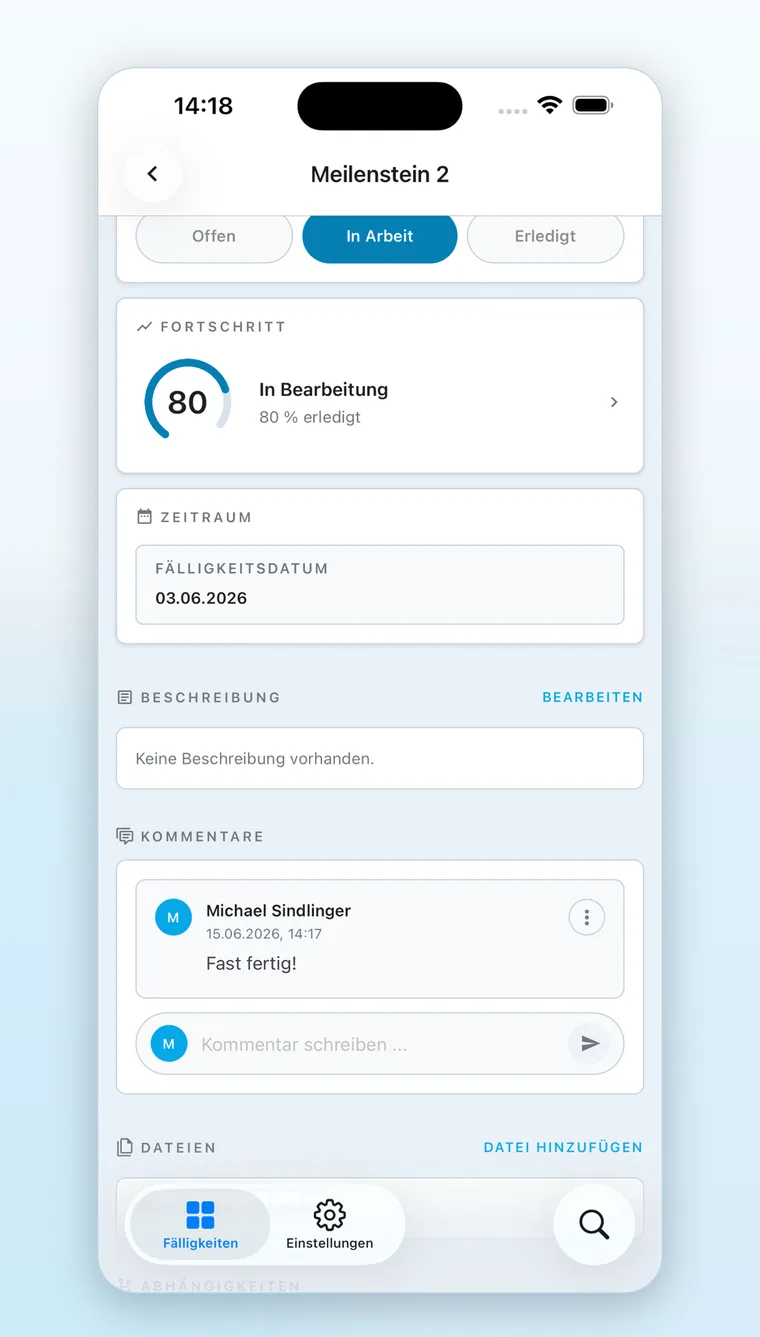
Update tasks directly
The task detail shows status, progress, due date, comments and files on one screen.
- Status without a detour
Feedback goes on your own task. Nobody reschedules dates from the phone. - Comments on the task
A question, a missing drawing, the reason for a delay: documented on the task instead of in a chat thread.
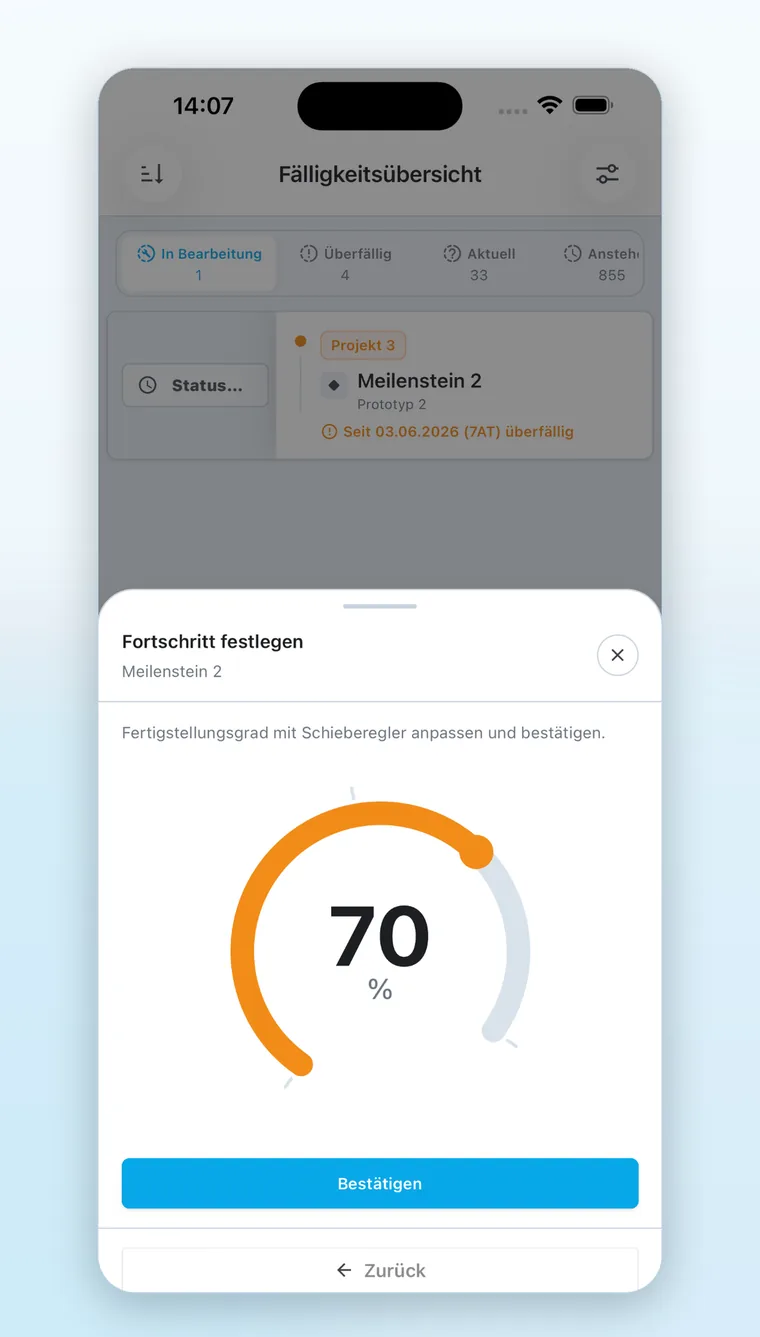
Report progress in seconds
Percentage complete is set with a slider, along with the actual start and end dates.
- No clocking in
The app deliberately does not record working hours. Actual hours come in through the interface to time tracking or the ERP. - Deviations surface early
The planned-versus-actual comparison on the desktop runs on today's status, not on the last status round.
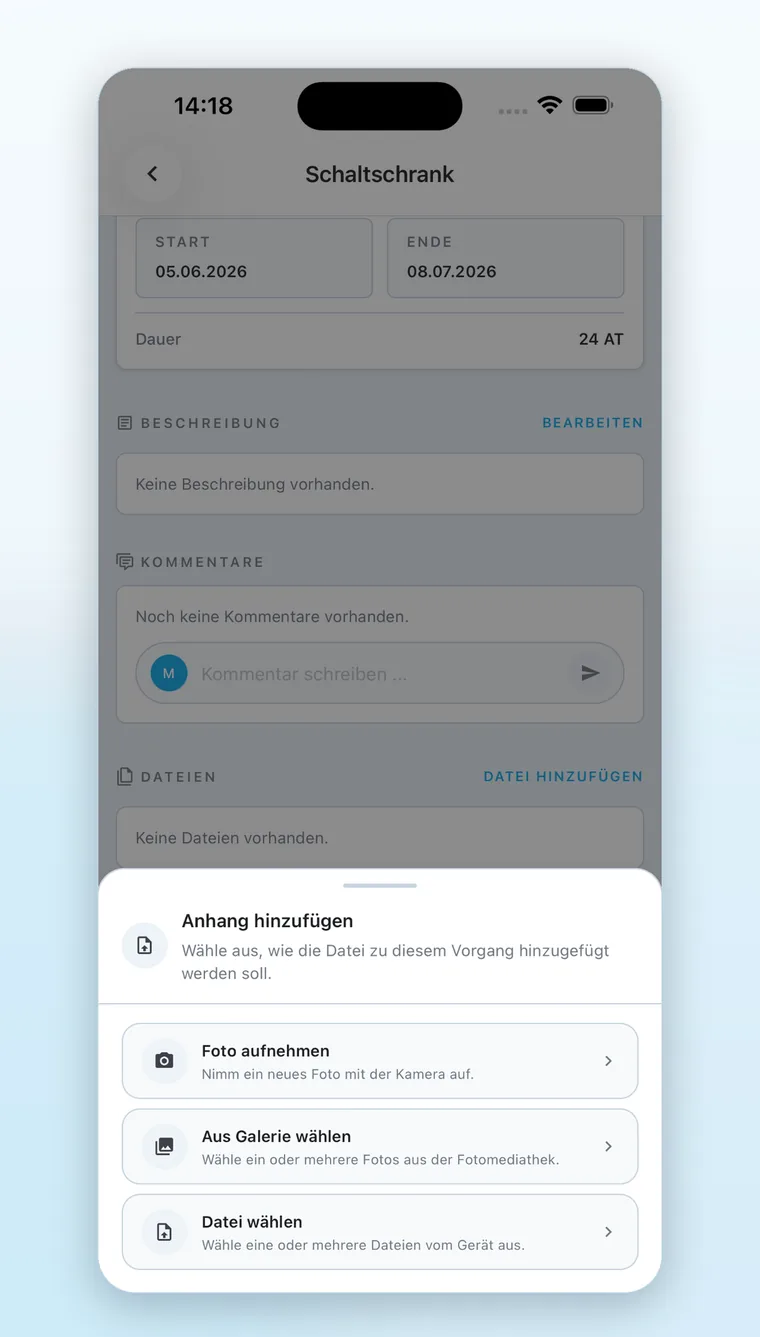
Attach photos and files on the spot
Attachments come from the camera, the gallery or file storage and then sit with the task.
- Documentation where the work is
Assembly status, control cabinet or damage: a photo is often the fastest form of feedback. - Documents in the project
Test reports, measurements and sign-offs live in the project, not in someone's inbox.
Functionality & Overview
Why mobile feedback decides the data quality of your plan
A project plan is only as current as its last update. If that update travels via phone, chat and later data entry, the plan's currency depends on the calendar of whoever types it up, not on the progress of the work. The app removes that detour. Whoever finishes the task reports it too, at the same moment and in the same place. Actual status stops being a reporting exercise and becomes a by-product of the work. Logical relationships, capacity and dependencies between projects stay on the desktop, because they call for a decision and do not fit sensibly on a phone screen.
18% of working time, around seven hours a week: that is what field staff lose to filling in forms and hunting for information. It is exactly the time that feedback given on the task itself takes out of the day. Source: Salesforce, “Voices From the Field”, September 2025, survey of 350 mobile workers.
Challenges
What happens without mobile feedback
Real progress happens on the shop floor, at the customer's site and during commissioning. Without access to the system it stays with the person who made it.
Status travels the long way round
Passed on by phone, typed into a chat, entered into the system by a manager later. Every step costs two people time and delays the status by hours or days.
Plan and reality drift apart
The plan shows a date nobody on site still considers realistic. The deviation becomes visible when it can no longer be corrected.
Documentation ends up beside the project
Photos on a phone, test reports in an inbox, sign-offs in one person's folder. Anyone who needs them later has to ask around.
Impact
Manage projects efficiently and make the most of your resources
Linetrack optimizes projects, reduces delays, and helps teams identify and minimize risks early.
4,000+
Projects planned
1,512
Parallel projects managed
10 WD
From kick-off to go-live
Figures from live Linetrack implementations, as of August 2026.