Comparison
Linetrack vs.
Asana

In short
Asana is a tool for work management in teams. It collects tasks, links them through dependencies and shows them in a Timeline. In mechanical and plant engineering, that is the lowest planning level, task tracking. Above it sit project planning with the schedule and resource forecast, and the detailed planning of the departments. Per its own documentation, Asana's critical path ignores resource availability, and ERP systems only connect via third-party tools. Linetrack connects all three levels on one data basis, from the bar chart with its capacity histogram to feedback on the task. If you need a system for complex projects, Linetrack is therefore the better fit.













400+
Excel spreadsheets and
planning tools replaced
56 %
already had a PM system
and switched anyway
59 %
named manual status chasing
as their starting problem
10 days
from kick-off
to go-live
Every figure on this page comes from a full survey of all live Linetrack implementations, as of August 2026. Multiple answers were possible for the starting problems.
Starting point
What Asana was built for
Asana is a cross-industry work management platform. Marketing plans campaigns in it, product teams maintain roadmaps, cross-functional teams hand out tasks with an owner and a due date. Tasks can be linked through dependencies. From the Starter tier up, Asana shifts dependent dates automatically, and the Timeline shows the chain as bars. Connections to Salesforce, Slack, Tableau and Power BI let Asana fit into many existing tool landscapes.
The basic unit in Asana is the task: who does what by when. That is exactly the information a design engineer needs for the week. Whether engineering as a department has enough capacity in March across all projects is a different question, and it is answered on a different level. Which system categories exist for that is covered in the software comparison.
Planning levels
Which level Asana plans on
Planning in mechanical and plant engineering happens on three levels, and each has its own people. Project management plans dates and the resource demand per department. Department heads plan their area in detail and decide who works on which order and when. Staff work through their tasks and report back. Asana is at home on this third level, task tracking.
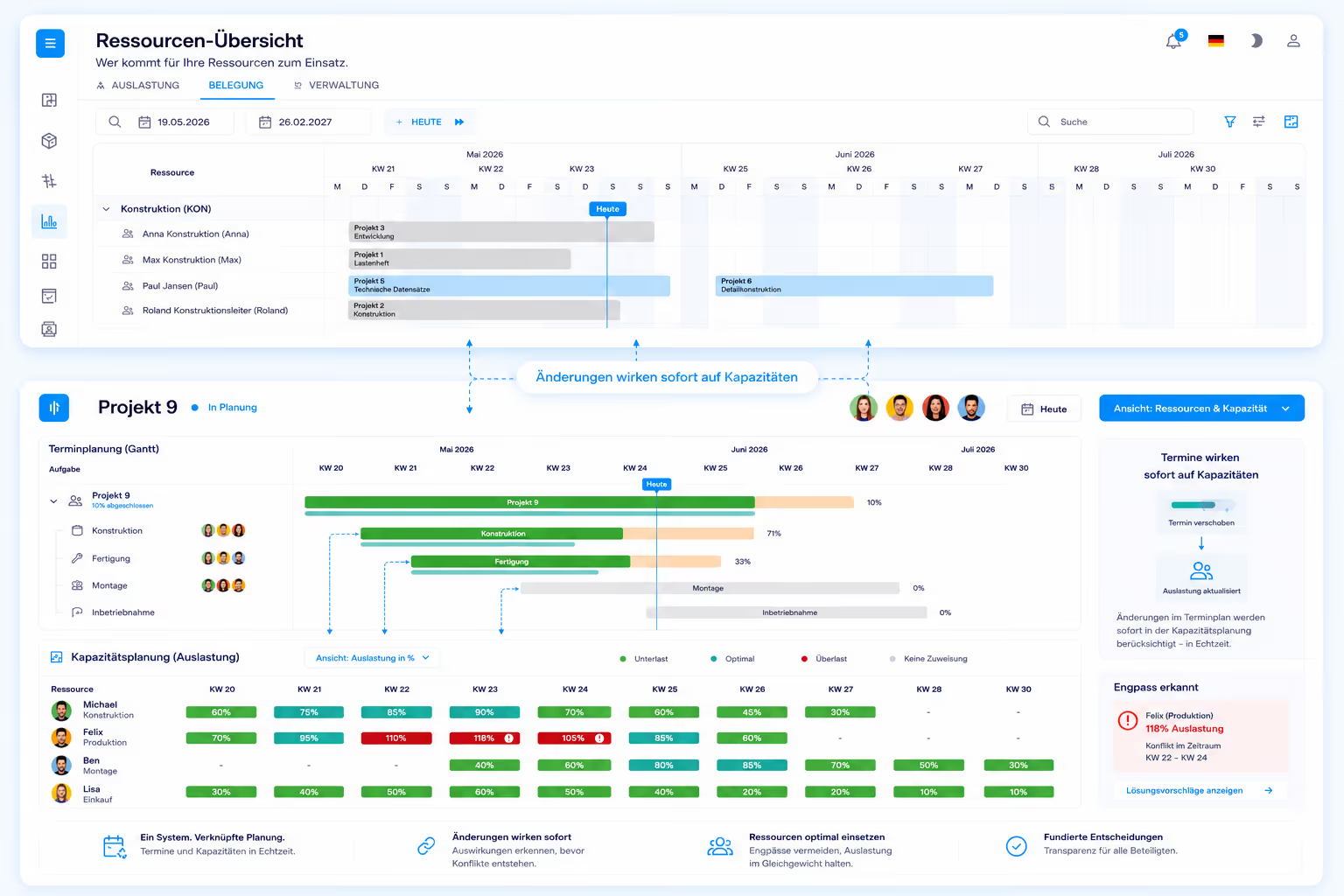
Today, each level usually runs its own tool, and these islands do not exchange data. The schedule sits in MS Project, the department's staffing in an Excel sheet, the tasks in Asana. Linetrack replaces these isolated solutions and puts all three levels on one shared data basis. When a fitter reports that an assembly will be finished later, that status sits on the task in the project plan. Project management sees in the same system which follow-on dates move and which department carries more load in which week as a result. Anyone who wants to control complex projects across all levels needs this connection. What it looks like day to day is described on the multi-project management page.
Breaking point
Where task management reaches its limit
Asana gets a lot right on its level. The limit shows where a task list is supposed to become the plan for an engineering project.
None of this is a flaw in Asana. Asana is built for work in teams, and for teams that hand out tasks among themselves that is the right scope. An engineering project also needs tasks with dependencies, capacity per department across all projects and feedback that lands in the schedule. How dates and capacity fit together is described on the scheduling and capacity planning page.
Core argument
Asana collects tasks, Linetrack connects the levels
Agile work management tools such as Asana, Trello or Monday are built for task management, and they are good at it. Asana brings more to that job than many others: dependencies with automatic date shifting, a Timeline with a critical path you can highlight, and a broad range of integrations.
Even so, an engineering project cannot be controlled as a task list. Its complexity sits in the levels above, in the schedule with its resource forecast and in the detailed planning of the departments. Running these levels in separate tools means planning on islands. Linetrack connects them in one system and replaces the isolated solutions.
The test: ask whether engineering is overbooked in March across all projects, and what late production on order A means for assembly on order B. In Asana, the partial answers sit in different places. Dates are in the Timeline, load is in a Workload view on higher tiers, and the critical path is calculated without availability. In Linetrack, the critical path is in the bar chart and the capacity histogram below it shows the load across all projects. Nothing is levelled automatically. Project management runs scenarios in the system and makes the decision.
Linetrack has task tracking too, on the lowest level and with a clear purpose. The department's staff scheduling assigns person, task and due date. Staff report back on the task, and the planned status of the plan becomes an actual status. Project control responds to that, for example with the plan-vs-actual comparison.

Side by side
Asana
versus Linetrack
Seven points where the difference shows up day to day. What is compared is the scope of the two systems, not a feature list.
The table describes two levels, not a ranking in task management. For handing out tasks in a team, Asana is a mature tool. In engineering projects, what matters is whether the tasks are connected to the schedule and department planning, and whether suppliers can work in it as well. In Linetrack they get a free collaboration licence for that, as the supplier integration page shows. Asana figures as of our own research based on Asana's product pages and documentation, August 2026.
Security & Trust
Your data. Secure in Germany.
Linetrack runs entirely within the EU – hosted with an ISO-certified partner, fully encrypted, and backed up regularly.
Made in the EU
GDPR-compliant
Hosted in Germany
Application, database, and backups run exclusively with Hetzner in the Falkenstein data center.
Fully GDPR-compliant
Your data is processed and stored exclusively within the EU.
ISO/IEC 27001:2022-certified data center
Our hosting partner operates the data center to the internationally recognized ISO/IEC 27001 security standard.
Encrypted in transit and at rest
Data transmission via TLS 1.2/1.3, storage secured with AES-256 encryption.
Multi-tier backups
Hourly, daily, and monthly backups with a typical recovery time of under one hour.
Honest boundaries
When Asana remains the right choice
Asana clearly has its place on its own level. Four cases in which switching brings no gain:
The situation is different when many parallel projects draw on the same departments, delivery dates hang on the chain of design, production and assembly, and dates, capacity and tasks currently sit in three different tools. For these companies Linetrack is the better choice, because it brings the three planning levels together in one system and Asana is no longer needed on the lowest level. How that looks in mechanical and plant engineering is described on the industry page.
Switching
How switching works in practice
Linetrack is introduced through project planning. Existing schedules from Excel, MS Project, Primavera or SAP are read in through the standard imports instead of being typed up. Department heads then get access to their area of responsibility and plan their share in detail down to individual staff.
That detailed planning produces the tasks for staff. They see what needs doing by when and report the status directly on the task, at their workstation or via the mobile app. The task lists from Asana are not transferred for this. The tasks are created fresh from the plan and are therefore tied to tasks with a date and a department from the start.
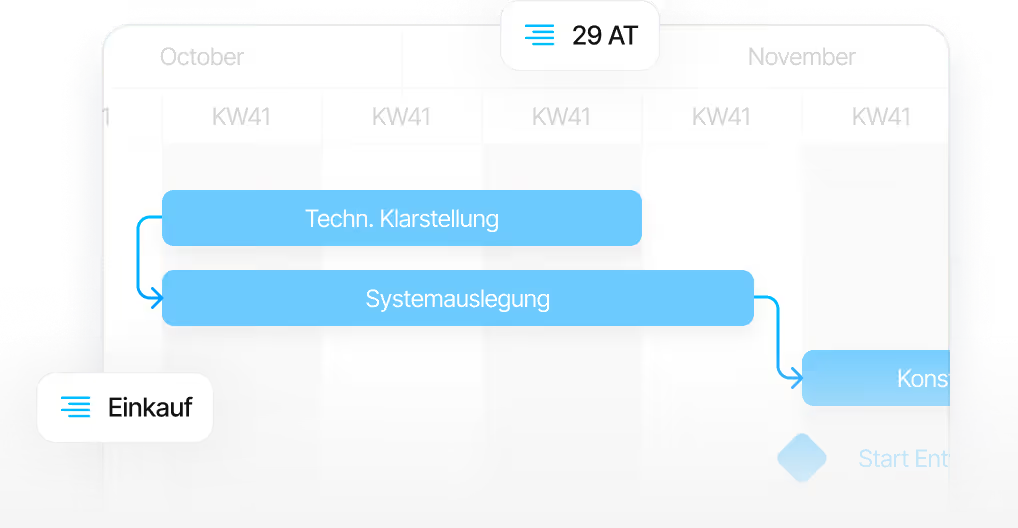
It takes ten working days from kick-off to go-live. Data is held in ISO 27001 certified data centres in Germany, and licences start at 10 € per user per month on a modular basis. The process in phases is described on the implementation page.
FAQ
Frequently asked questions
Still have questions?
Book a meeting with our team.
What is the difference between Asana and Linetrack?
What is the difference between Asana and Linetrack?
Is Asana suitable for project management in mechanical and plant engineering?
Is Asana suitable for project management in mechanical and plant engineering?
Does Asana have dependencies and a critical path?
Does Asana have dependencies and a critical path?
Does Asana show load across multiple projects?
Does Asana show load across multiple projects?
Can Asana be connected to an ERP system?
Can Asana be connected to an ERP system?
Does Linetrack also have task tracking for staff?
Does Linetrack also have task tracking for staff?
More comparisons
Learn more
Linetrack in detail
The modules that connect project planning, department planning and task tracking: