Category overview

Project management software:
which category fits project-driven work

The market splits into five categories, and each one is built for a different shape of work. This page places the categories instead of listing vendors – and states what Linetrack is built for and what it is not.
Linetrack project management software for project-driven industrial companies

Quick Answer

Project management software keeps the schedule, tasks, resources and progress of a project in one system instead of scattered files. The market splits into five categories: ERP project modules, agile PM tools, classic project planning software, Excel and homegrown solutions, and APS and finite scheduling systems. Two questions decide which one fits: how many projects run in parallel, and how many departments plan alongside each other? Linetrack, based in Stuttgart, connects project and department planning in one system – built for project-driven industrial companies.
StadlerSTOLLSchnaithmannMSGLANG TECHNIKInVENTerKSKSCHIRMACHERVOWEMAKrüger & SaleckerBAVIUSSAMALPHA PLANSCHAUENBURGGRÜBL Automatisierungstechnik GmbHbpmHywaxPGA AnlagenbauKSK AutomationProla Automation

91 %

named Excel and tool
chaos as their starting problem

400+

replaced Excel lists
and planning tools

270+

projects running in parallel
at the largest customer

30+

departments planning together
at the largest customers

*Every figure on this page comes from a full survey of all live Linetrack implementations, as of August 2026.

Definition

What project management software is – and where multi-project management begins

Project management software brings the schedule, the tasks, the resources and the progress of a project into one system, instead of spreading them across files, inboxes and meetings. Every tool in this category covers four areas in some form:

  1. Schedule: Activities, milestones and dependencies in an order that produces an end date – classically shown as a bar chart.
  2. Tasks: Who does what by when. Ownership, feedback and status at the level of the individual activity.
  3. Resources: Which people, departments and machines an activity needs – and whether they are actually available in the planned window.
  4. Progress: The ongoing comparison between what was planned and what actually happened.

The line to multi-project management is not drawn by feature count but by the number of projects. A tool for a single project can cover all four areas cleanly and still not answer which of twelve projects takes precedence when the same department is needed in three of them. That question is only answered by collaborative multi-project management – the same category of software, one level up.

Placement

Five tool categories, two questions

Vendor lists are of little help while the category is still open – the category sets which shape of work a system can serve at all. Two questions are enough to place them, and both can be answered without talking to a vendor: how many projects run at the same time, and how many departments have to work on the same plan?

The five tool categories – and the field above them

Two axes, deliberately without a scale: the position describes what shape of work a category was built for – not how good it is.

  1. Classic project planning softwareThe plan lives on the project manager's machine.Classic project planning software such as MS Project: one person plans, one project per plan – the plan lives on the project manager's machine, with no link to department planning.
  2. Excel and homegrown solutionsmore than 400 planning tools replacedExcel and homegrown solutions: one person per file, a few projects in parallel – most of the more than 400 planning tools Linetrack replaced were Excel solutions.
  3. Agile PM toolsOne team, no committed delivery date.Agile PM tools: one team plans together, usually on a single initiative – without a committed delivery date and without capacity planning across parallel projects.
  4. APS and finite scheduling systemsDetailed planning for one department, fed from the ERP.APS and finite scheduling systems: one department plans its resources in detail across a few parallel orders – built for manufacturing, not for long-running projects.
  5. ERP project modulesCosting and controlling, barely any scheduling.ERP project modules: controlling sees every order, but the module is built for costing and cost tracking – in practice the schedule moves back into Excel.
  6. Collaborative project and department planningLinetrackup to over 270 parallel projects per customerCollaborative project and department planning: all departments and suppliers plan in the same system across the entire portfolio – in practice from 5 to over 270 projects running in parallel per customer. This is the category Linetrack sits in.

The only field in the top row is the one where all departments and suppliers work on the same plan. Most of the more than 400 planning tools Linetrack replaced were Excel solutions.

None of the five categories reaches the top row: they are built for a plan that belongs to one person, one team or a single department. Towards the top right – many projects, many departments planning together – the market thins out. The strengths and limits of each category are set out in the multi-project management software comparison, and the requirements that follow from them in the requirements for multi-project management software. How the same placement reads in an industry with long engineering lead times is shown in project management software for machinery and plant engineering.

Fit

What Linetrack is built for – and what it is explicitly not

Linetrack occupies the top right corner of the matrix: many parallel projects, many departments planning together. Four traits describe the case the platform was built for.

Several projects run in parallel and share the same departments.

Several departments plan themselves instead of feeding a central planner.

Suppliers and external trades appear as activities in the schedule.

ERP and time tracking are connected instead of forming another silo.

The biggest difference is typically felt between 20 and 300 employees and up to more than 30 departments, without that being a hard ceiling – in practice the range runs from 5 to over 270 projects in parallel per customer. Linetrack is in productive use at Stadler Rail, Schnaithmann, the STOLL Group and InVENTer in building and energy systems, among others. How this is cut for mid-sized industry is described in project planning for mid-sized industrial companies; how dates and capacity hang together is covered in scheduling and capacity planning in one system.
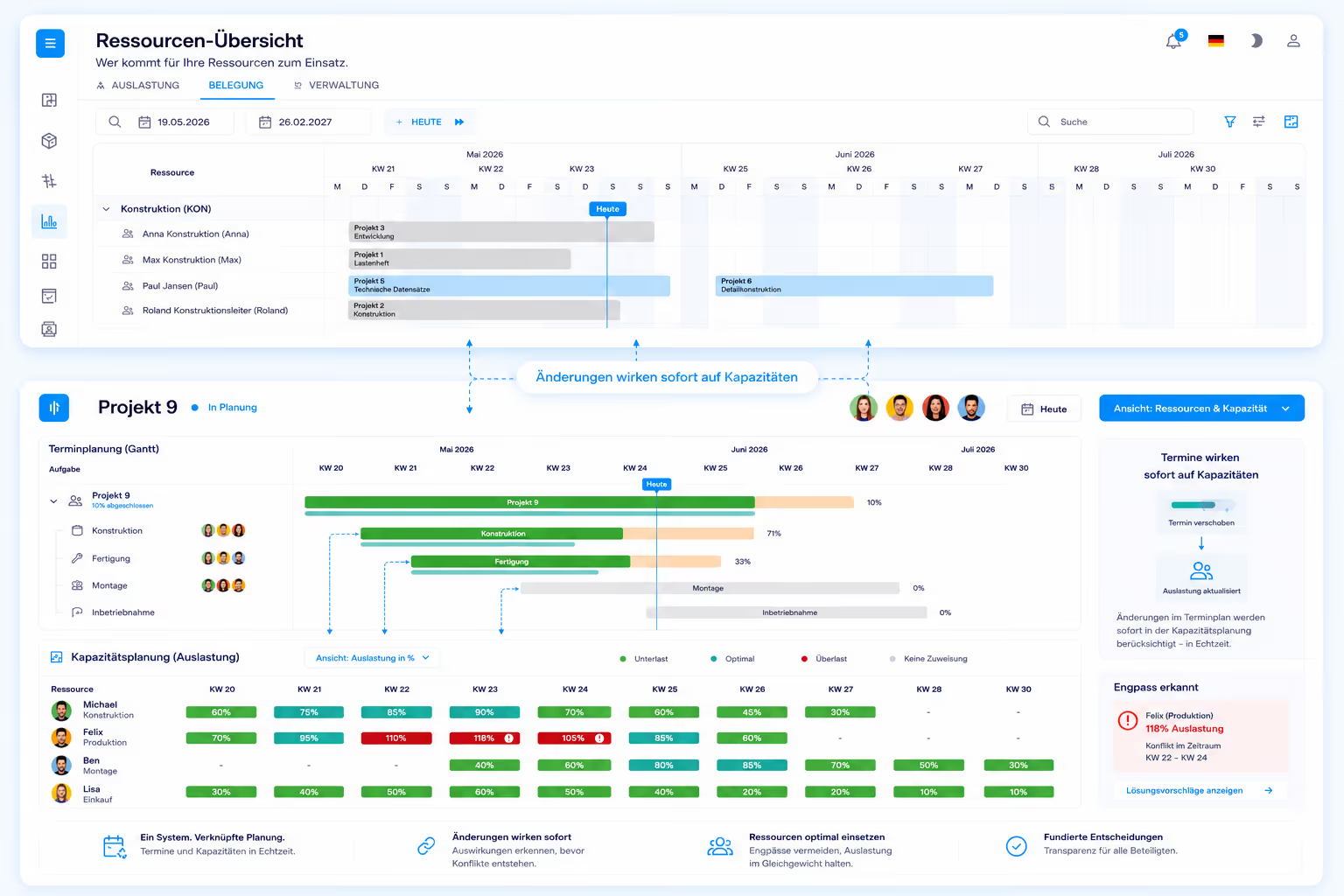
Scheduling and capacity planning across several parallel industrial projects in Linetrack

Limits

Two cases where another category is the better fit

No system is right for everything, Linetrack included. In these two cases another category gets there faster:
  1. Pure series production without project character. Finite scheduling out of the ERP is the right tool for that.
  2. Simple task administration. Anyone who only wants to hand out tasks does not need connected scheduling and capacity planning.
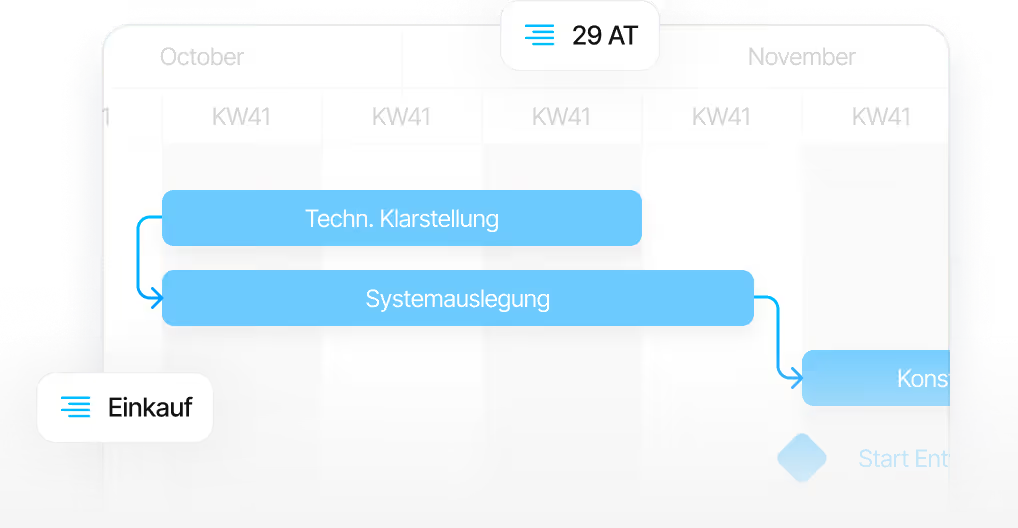
Work breakdown structure as an example of plan-driven projects rather than simple task lists

Read on

The right next level of detail

Four pages take the placement further – by industry, by requirement, by category and by specific tool.

Industry

Long engineering lead times, bought-in parts on the critical path, shared designers and fitters: the same placement, cut for machinery and plant engineering.

Project management software for machinery and plant engineering
Requirements

What a system has to do when several projects and several departments depend on the same plan – and why the process comes before the tool.

Requirements for multi-project management software
Categories

The five categories in full: what each one can do, where it reaches its limits and when it is the right choice.

Multi-project management software compared
Tools

Individual products instead of categories: Excel, MS Project and Primavera head to head, each with what stays and what changes.

Linetrack compared directly with your current planning tool

FAQ

Frequently asked questions

Still have questions?

Book a slot with our team.

What is project management software?

Project management software brings the schedule, the tasks, the resources and the progress of a project into one system, instead of spreading them across files, inboxes and meetings. It answers four questions: what happens when, who owns it, who is needed for it and how far along it is. How deeply a product covers each of those areas depends on its category.

How do you tell which category fits your own project work?

Two questions. First: how many projects run at the same time – one, a few, or a whole portfolio? Second: how many departments have to work on the same plan – one person, one team, or every department plus suppliers? The further the answers reach up and to the right, the fewer categories remain. A single project with one person responsible only needs a classic schedule; as soon as several departments share the same resources, none of the four common categories is sufficient on its own.

Is one category enough, or do several systems end up running side by side?

In most industrial companies several run at once: the ERP for costing, a Gantt planner for dates, Excel for everything in between. Of the more than 400 planning tools Linetrack has replaced at its customers, most were Excel solutions. The individual tool is rarely the actual problem – the missing connection between them is, and 91 % of customers named Excel and tool chaos as their starting problem.

Does Excel have to go when project management software is introduced?

No. Excel remains useful for analysis, costing and one-off lists – it becomes a problem only as the shared basis for planning, because every file belongs to one person and is only as current as its last manual update. Existing Excel plans are imported during the switch rather than re-entered, as are schedules from MS Project and Primavera.

Which companies is Linetrack built for – and which is it not built for?

Built for project-driven industrial companies that run several projects in parallel with shared resources and where several departments plan together. The biggest difference is typically felt between 20 and 300 employees and up to more than 30 departments, without that being a hard ceiling. Linetrack is not built for pure series production without project character, or for simple task administration. Interfaces to ERP and time tracking are part of the system landscape.

Who inside the company should have a say in the selection?

Every department that is meant to plan in the software later on. The second placement question – how many departments plan together – decides the category, and project management cannot answer it alone. If design, production, assembly and purchasing are expected to maintain their own capacity, the software has to be usable for them and not only for a planning office.