Open interface

REST API
for custom connections

The Linetrack REST API provides project, task and resource data for custom-built connections - the platform's open standard interface, built either by your IT team or by Linetrack.
Linetrack project management software with an open REST API for custom connections

In short

The REST API is the Linetrack platform's open standard interface: it delivers project, task and resource data for custom-built connections, built either by your IT team or by Linetrack. It complements the ready-made connections to ERP, AIDA, MS Project, Excel and SAP wherever no ready-made connection exists yet.

Data access

What the REST API provides

The REST API is the Linetrack platform's open standard interface for custom-built connections.

  1. Data provided: Project, task and resource data for custom-built connections.
  2. Type of interface: Open standard interface of the platform.

The full list of every connected system is on the interfaces overview.

Structure

How the interface is built

Every endpoint sits under one versioned path and answers in JSON. The version in the path is a commitment: a release does not change how existing endpoints behave.

/api/integrations/v1/

Your systemsERP and MRPTime trackingYour own reportingREST APIX-API-KEYLinetrackProjects and tasksResources and capacityMaster dataWRITE · PUTREAD · GET
/companies

Company and master data

The starting point for any integration: what am I working with, and which keys apply in this tenant?

  • GET Company profile
  • GET Users
  • GET Groups
  • GET Calendars
  • GET Custom fields
/projects

Projects and tasks

Read for your own reporting, write for feedback from the source system. Projects and tasks can also be addressed by an identifier of your own.

  • GET Project list
  • GET Single project
  • GET Project by your own identifier
  • GET Hours report per project
  • GET Task by your own identifier
  • PUT Update a task
/resources

Resources and capacity

The part that runs most often: staff records and utilisation come from your HR system and time tracking and are synchronised on a schedule.

  • GET Company resources
  • GET Utilisation
  • PUT Sync employees
  • PUT Sync virtual resources
  • PUT Load utilisation
  • PUT Load utilisation without personal data

Which endpoints your integration actually needs depends on the direction. Pure reporting gets by with read access; a sync from your HR system needs exactly one write endpoint.

Access

One key per integration, revocable at any time

Server-to-server integrations do not sign in as a person. They carry their own key in a header that points at exactly one tenant.

One header, nothing more

Every request carries the key as X-API-KEY. No sign-in step, no expiring session, no token exchange before each call.

Bound to your tenant

The key belongs to your company and to a technical account. It cannot reach data that is not yours, not even by accident.

Named, so you can find it again

Every key carries a name. With several integrations you can withdraw the one that should stop running instead of all of them at once.

Revoked, not rotated

A key is blocked and loses effect immediately. Restarting the application is not required.

Never stored in the clear

Only a hash is kept. Reading the database does not give the key back.

Every call is recorded

Time, account, method and path are written down. When someone asks where a value came from, there is an answer rather than a guess.

In practice

What a sync actually looks like

The most common case: staff records come from your HR system. You send the whole state, and Linetrack decides per record whether it is new or an update.

01Your system sendsPUT /resources/users/bulkThe full state, not the delta.02Linetrack matchesemployeeNoMatched on the staff number.03You get an answerCreated3Updated52Skipped, no licence0Licences left after6
01

The whole state, not a delta

You send every employee, not the changes since the last run. A run that failed therefore has no consequences – the next one brings everything back in line.

02

The staff number is the key

Records are matched on the staff number from your system. A change of name is therefore an update, not a second employee.

03

Partial success is a result, not a failure

Records that could not be processed come back individually, with their identifier and a reason. The rest of the run is unaffected.

04

The licence count is in the answer

How many user licences are free after the run is part of the response. Your job notices by itself when it is getting tight.

Data protection

Transfer capacity without transferring names

Utilisation data from a time-tracking system is personal data the moment a name is attached to it. In many companies that, rather than the technology, is where an integration stalls.

For that case there is a second route for the same data: instead of names you pass an identifier your system already holds – the resource identifier, a short code or the staff number. Linetrack resolves it against its own records. No name leaves your system.

Which of the three identifiers you use is up to you; the interface accepts all three.
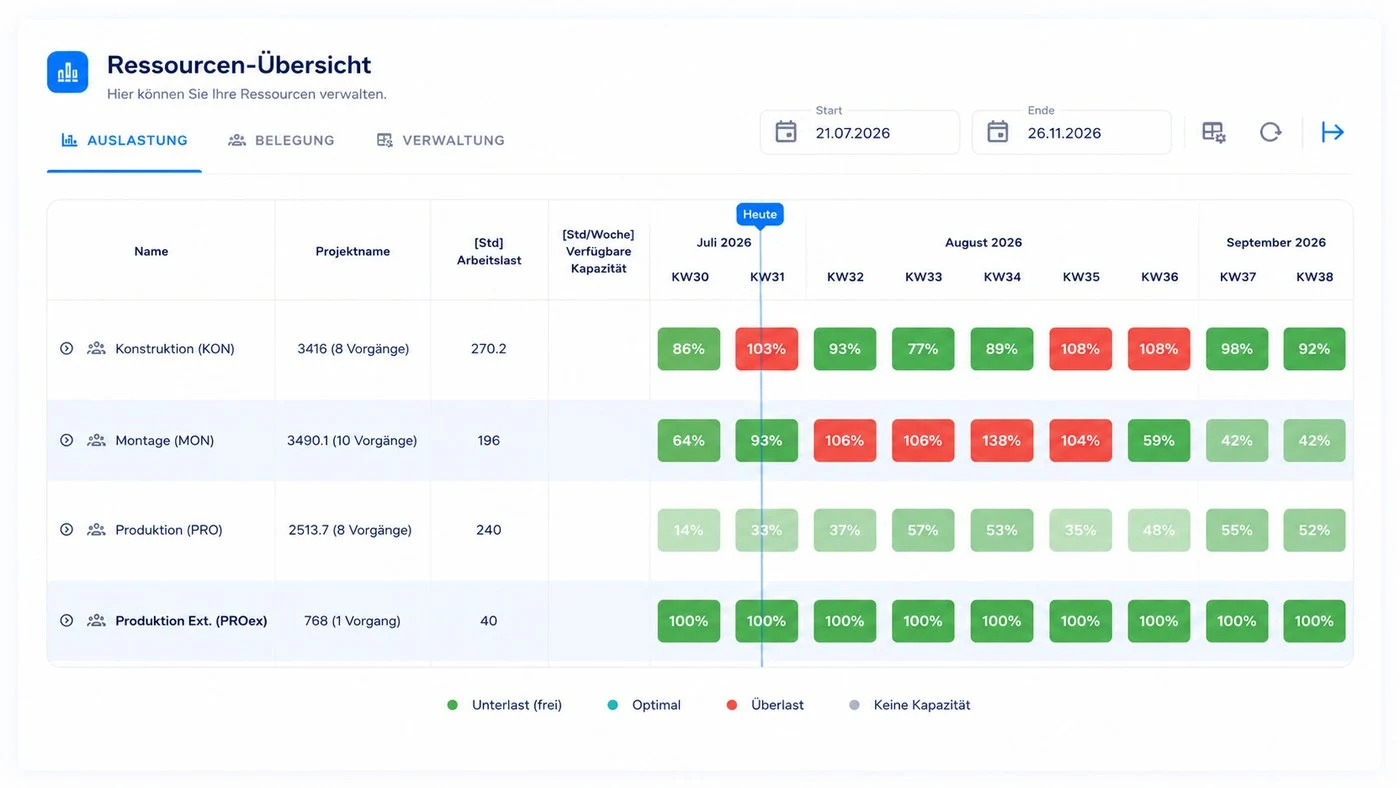
Linetrack resource utilisation overview across several departments

Challenge

Why not every connection exists as a standard

For AIDA, ERP systems, MS Project, Excel and SAP, connections are already built and run out of the box. For a company-specific system or a self-built tool, though, no ready-made interface exists.

That is exactly what Linetrack's open REST API is for, giving access to project, task and resource data - useful, for example, for custom reporting in multi-project management.

Even for ERP systems not yet among the ready-made connections, the REST API lets you build your own link - see the ERP integrationpage for the ERP connections already built.

Access and the available endpoints are clarified before the project starts, via contact.
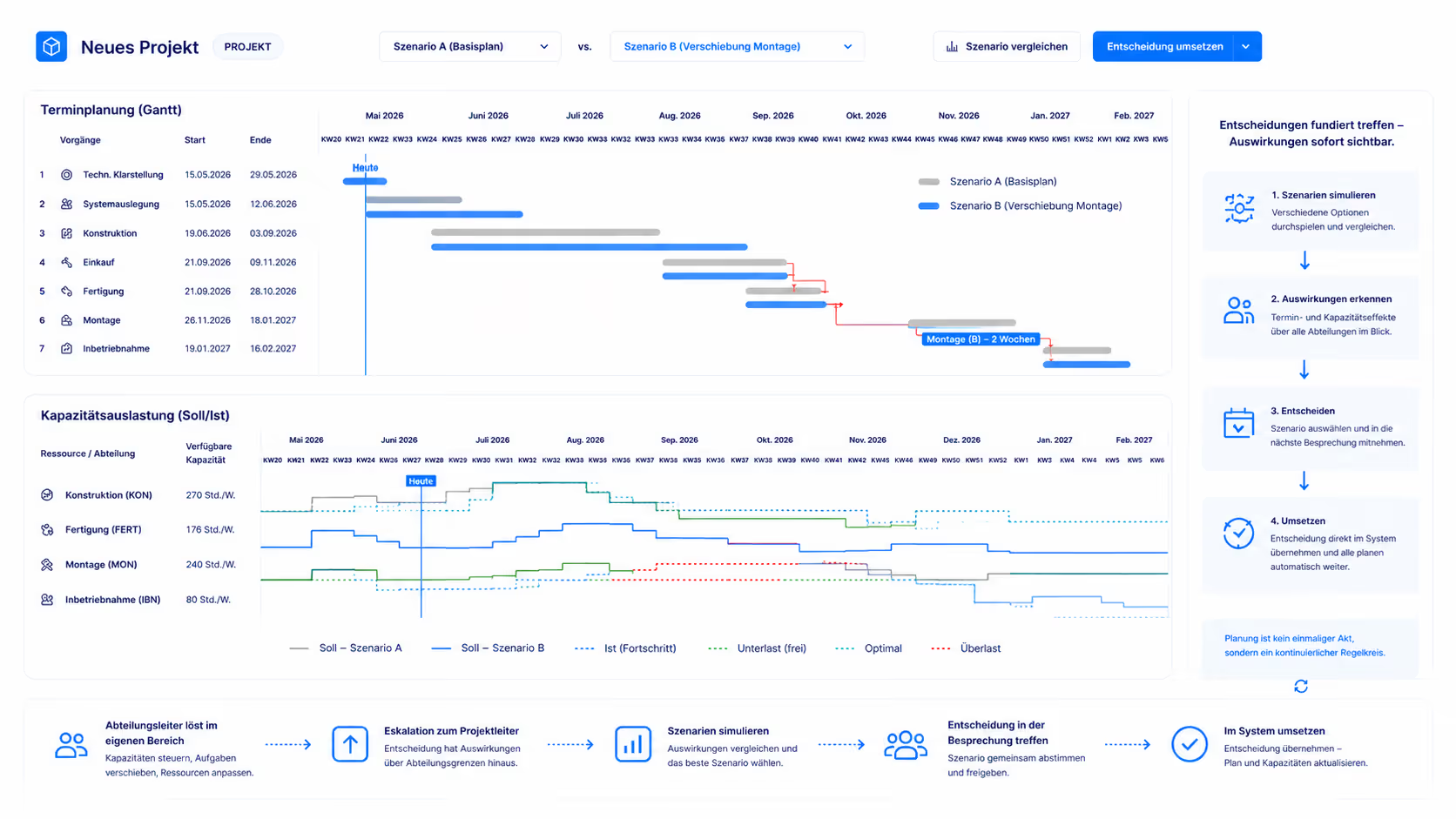
REST API in Linetrack: connected scheduling and capacity planning

FAQ

Frequently asked questions

Still have questions?

Book a meeting with our team.

What data does the REST API deliver?

The REST API delivers project, task and resource data for custom-built connections - the Linetrack platform's open standard interface. Task data here matches the data also managed in task management.

Who is the REST API for?

For systems that have no ready-made connection. The link can be built either by the customer's IT team or by Linetrack.

How do I get access to the REST API?

Access and the available endpoints are clarified before the project starts.

Does the REST API differ from the ready-made connections to AIDA, ERP systems or SAP?

Yes. The connections to AIDA, ERP systems, MS Project, Excel and SAP are already built and run out of the box. The REST API is the open interface for everything that has no ready-made connection yet.

How does an integration authenticate?

With an API key in the X-API-KEY header. The key belongs to exactly one tenant and one technical account, is stored only as a hash and can be blocked at any time. For server-to-server integrations this is the intended route – a username and password sign-in is not needed.

Is the interface versioned?

Yes. Every endpoint sits under /api/integrations/v1/. The version in the path is a commitment to your integration: the behaviour of existing endpoints does not change within a version.

Can we work with our own identifiers?

Yes. Projects and tasks can be addressed by an identifier from your source system that is stored as a custom field. Your integration therefore does not have to carry Linetrack internal identifiers.

What happens if individual records cannot be processed?

The run does not abort. The response reports separately how many entries were created and how many updated, and lists the records that were not processed individually, with an identifier and a reason. They are simply included again on the next run.

Can utilisation data be transferred without personal data?

Yes. For utilisation there is a second route that accepts an identifier instead of names – the resource identifier, a short code or the staff number. The matching happens inside Linetrack, and no name leaves your system.