Comparison
Linetrack vs.
Microsoft Project

In short
Microsoft Project is a tool for the individual planner, Linetrack one for many planners. MS Project works a single project through in depth: task relationships, the critical path and automatic resource levelling. Linetrack puts every project on one shared data foundation where departments maintain their own share, also computes the critical path, and compares baselines against scenarios – with a cross-project capacity histogram below the bar chart on top of that. The dividing line is not the scheduling maths, it is the number of people involved.




















400+
Excel spreadsheets and
planning tools replaced
56%
already had a PM system
and switched anyway
1512+
industrial projects
managed in parallel
10 days
from kick-off
to go-live
Every figure on this page comes from a full survey of all live Linetrack implementations, as of August 2026. The initial problems were surveyed with multiple answers allowed, 3.8 at the same time on average.
Starting point
What Microsoft Project was built for
Microsoft Project is not a spreadsheet with bars, it is a genuine scheduling tool. It understands task relationships, derives the critical path from them, handles resource levelling and uses baselines to record how a plan looked at an earlier point in time. Anyone who has to work a single undertaking through in depth, and to demonstrate the knock-on effects of a delay, is well served by it.
The product family is more differentiated than the shared name suggests: MS Project Desktop is the classic application for the individual planner. Project Online and Project Server add a cloud or server layer for multi-project operation, including an enterprise resource pool and portfolio views. Project for the web is the lightweight variant for simple task lists. Which system categories exist alongside it is set out in the software comparison; the mechanics of the bar chart itself are covered on the Gantt planning page.
Planning levels
Where Microsoft Project sits in planning
Industrial projects are planned on three levels: project planning with a resource forecast in sales and project management, detailed and staff scheduling in the departments, and task tracking by staff. Microsoft Project belongs on the top level. That is what it is built for: creating complex schedules, calculating them through and often sending them to the customer.
The weak spot is the hand-over between levels. The forecast from the project plan does not reach the departments as a planning basis, staff scheduling runs in separate sheets, and the status from the shop floor comes back by word of mouth. Connecting ERP and time tracking is usually an integration project of its own. Linetrack covers project planning as well and links it to the two levels below. The Scheduling and capacity planning page shows how this fits together.
Where it breaks
Where the single-planner tool reaches its limit
The limit of MS Project is not its scheduling maths. It lies in how many people may work on one plan at the same time, and how many projects share the same departments. Across the Linetrack implementations surveyed, more than 400 planning tools were replaced, MS Project plans among them. 56% of customers already had a PM system in place and switched anyway.
None of these points is a defect in Microsoft Project. They follow from what it was cut out for: one plan, one owner. As soon as twenty projects draw on the same design engineers, electrical planners and fitters, the task shifts from scheduling maths to coordination – and with it to multi-project management.
Core argument
Not the scheduling maths, the number of people involved
Comparisons with Microsoft Project usually fail because they make the tool smaller than it is. MS Project calculates task relationships, derives the critical path, levels resources and holds baselines against the current state. In the schedule analytics of a single project it is strong – and better at it than much of what presents itself today as the modern alternative.
The decisive question in mechanical and plant engineering is a different one: how many people may keep a plan current at the same time, and how many projects draw on the same departments? A plan with exactly one author is only ever as current as that person's last round of typing.
The test is simple: ask which department is overbooked in March. In a single project file that cannot be answered. Through the enterprise layer of Project Online or Project Server it can – but only if every plan really is maintained there and every resource comes from the same pool. That is where it fails in practice, not on the software's ability to calculate.
Linetrack starts one layer earlier: not a better file, but a shared data foundation with roles and permissions per area of responsibility. Departments maintain their own share, the bar chart is merely the view onto it, and the capacity histogram underneath reads the same data across every project. How schedules and capacity connect is explained on the scheduling and capacity planning page.

In comparison
Microsoft Project
versus Linetrack
This table does not compare feature lists but design intent: what each tool was built for. Seven points where that difference shows up in day-to-day work.
Two qualifications. First: in the scheduling logic row, Microsoft Project is ahead – not on the critical path or baselines, which Linetrack offers too, but on automatic resource levelling. Second: the remaining rows are not a feature gap on either side but a question of design intent – single-planner work versus collaborative planning. What becomes of it over the course of a project is shown by the planned-versus-actual comparison.
Security & Trust
Your data. Secure in Germany.
Linetrack runs entirely within the EU – hosted with an ISO-certified partner, fully encrypted, and backed up regularly.
Made in the EU
GDPR-compliant
Hosted in Germany
Application, database, and backups run exclusively with Hetzner in the Falkenstein data center.
Fully GDPR-compliant
Your data is processed and stored exclusively within the EU.
ISO/IEC 27001:2022-certified data center
Our hosting partner operates the data center to the internationally recognized ISO/IEC 27001 security standard.
Encrypted in transit and at rest
Data transmission via TLS 1.2/1.3, storage secured with AES-256 encryption.
Multi-tier backups
Hourly, daily, and monthly backups with a typical recovery time of under one hour.
An honest boundary
When Microsoft Project stays the right choice
There are situations in which switching buys you nothing. Four of them are clear-cut enough to belong on this page:
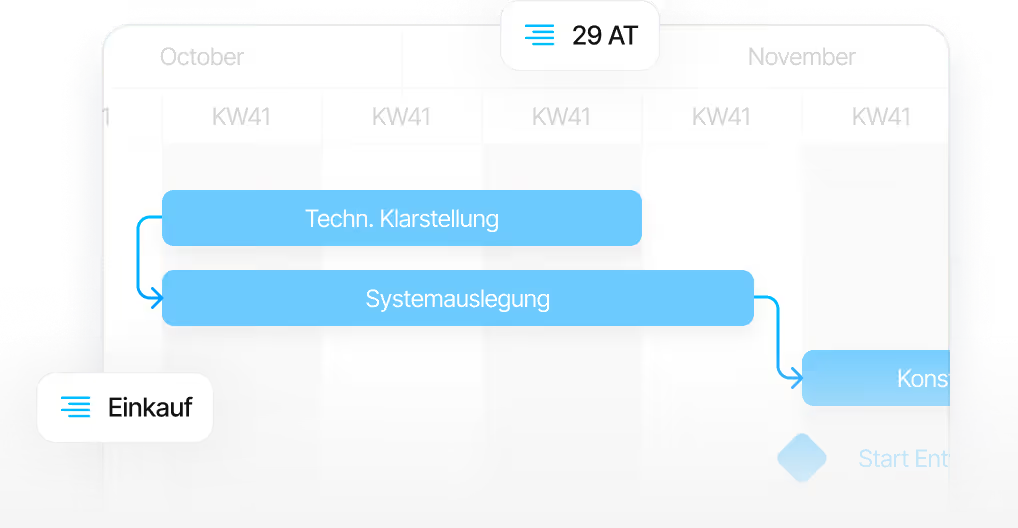
The case where Linetrack makes the difference is a different one: many parallel projects, several departments sharing resources, and external parties who are meant to report back themselves. How that looks in mechanical and plant engineering is described on the industry page. The two are not mutually exclusive – individual plans may still be built in MS Project and imported for the cross-project view.
Migration
How the move from MS Project works
The most common objection to switching is the existing planning: years of schedules sit in MS Project and nobody wants to re-enter them. That is precisely what the import is there for – it is a finished standard feature that reads tasks, durations and dependencies straight out of existing schedules instead of having them typed in again.
This import is part of the product; no extra interface development is required for it. The same applies to Primavera, Excel and SAP. Which systems are connected beyond that, and where a continuous sync makes more sense than a one-off data transfer, is set out on the interfaces and integrations page.
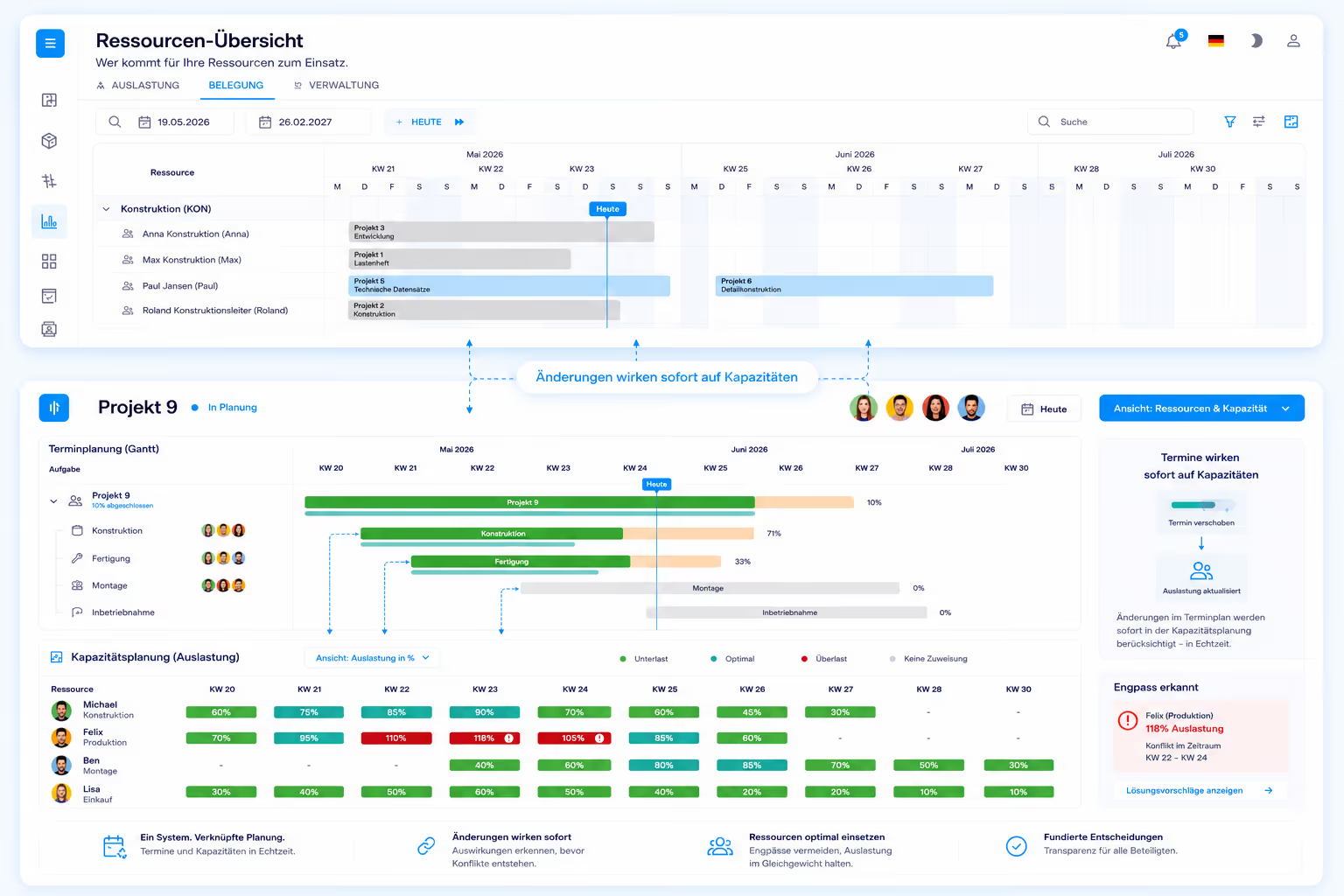
The real difference begins after the data transfer: departments get access to their own area of responsibility and maintain it themselves instead of feeding a single project manager. It takes ten working days from kick-off to go-live – regardless of company size. The phases of that rollout are described on the implementation page.
FAQ
Frequently asked questions
Still have questions?
Book a meeting with our team.
What is the difference between Linetrack and Microsoft Project?
What is the difference between Linetrack and Microsoft Project?
Can Microsoft Project plan several projects and shared resources?
Can Microsoft Project plan several projects and shared resources?
Does Linetrack calculate the critical path?
Does Linetrack calculate the critical path?
Can existing MS Project plans be moved into Linetrack?
Can existing MS Project plans be moved into Linetrack?
How long does it take to move from MS Project to Linetrack?
How long does it take to move from MS Project to Linetrack?
What does Linetrack cost compared with Microsoft Project?
What does Linetrack cost compared with Microsoft Project?
More comparisons
Learn more
Linetrack in detail
The modules behind cross-project scheduling and capacity planning: