Case study
InVENTer: project status and open items in one system
- Decentralised residential ventilation
- Heat recovery
- Ventilation for schools and nurseries
- Commercial and office ventilation

What does InVENTer use Linetrack for?
InVENTer GmbH, based in Löberschütz near Jena, manufactures decentralised ventilation systems with heat recovery. It plans and tracks its development projects – some of them large undertakings with many departments involved – in Linetrack. Open items, comments, images and files sit directly on the project. No legacy data was migrated: staff built the project plans themselves.
The company
What InVENTer builds
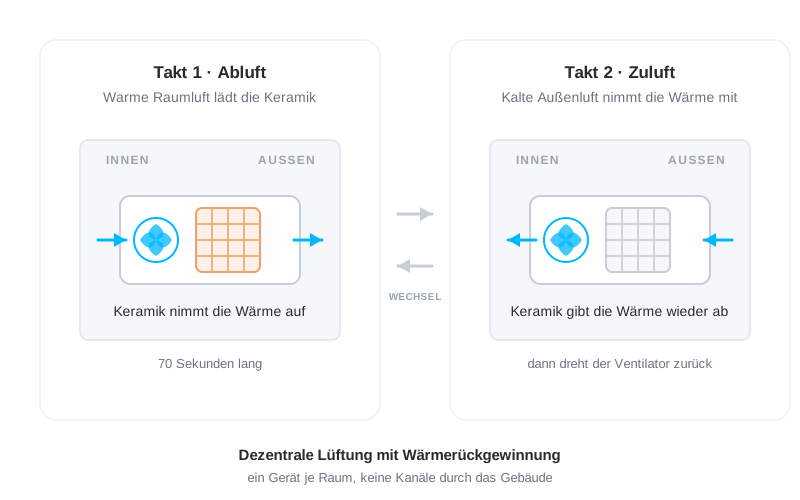
InVENTer has been developing and manufacturing at its Löberschütz site near Jena since 1999. The principle has not changed since: one unit per room instead of ducts running through the whole building, plus a ceramic heat accumulator that keeps the warmth in the house as extract and supply air alternate. Around that core sits a portfolio of decentralised and central ventilation, extract units, controls and accessories – for flats as much as for schools, nurseries and offices. The units reach customers through trade partners in almost 30 countries, and more than 700,000 have been sold. Since 2014 the company has been part of the British Volution Group.
A series manufacturer plans differently from a make-to-order supplier. It is not a single customer order that pulls the departments together but a product that has to be developed, tested, moved into production and brought to market. These development projects are what InVENTer runs in Linetrack – some of them large undertakings with many departments involved. What follows from that for planning is covered on the industry page project management in building and energy systems and on the overview page on multi-project management.
Customer voice
„Reminders now run automatically“
„At InVENTer GmbH, we develop ventilation systems for residential buildings and manage many cross-departmental projects.
Before Linetrack, the biggest challenge was that constant reminders and follow-ups were needed to keep track of tasks. With Linetrack, we were able to significantly reduce this effort: reminders now run automatically, and the team works noticeably more productively.
Rolling out the system was easy, the support from Linetrack was excellent - and it's so intuitive to use that everyone got up to speed quickly. We especially appreciate that the training module is available at any time.“

The starting point
What a development project used to hang on
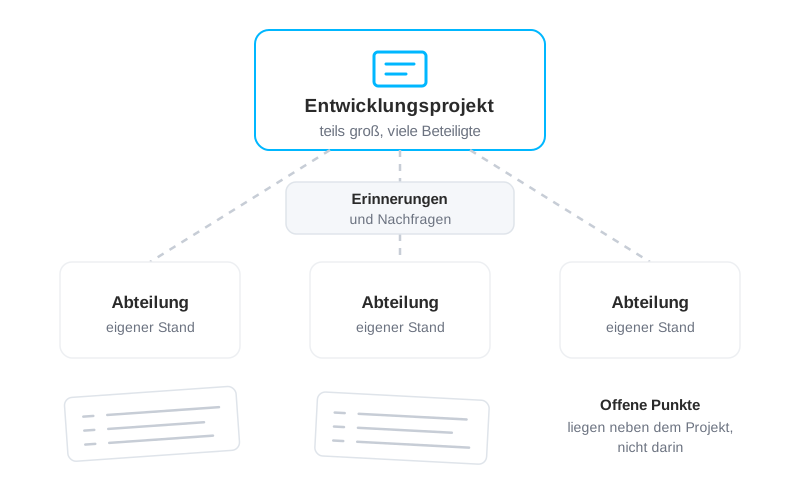
The projects in question are development projects – some of them large undertakings with many different departments involved at the same time. A ventilation unit ends up as a series product, but the road there is a project with many participants and a long list of open items.
The more departments hang off an undertaking, the more places there are where something can stall without anyone noticing. The effort then does not sit in the planning but in the chasing: anyone who wanted to know whether a task was done had to ask.
Day to day that meant what Annette Wettig describes in the quote above: reminders and follow-ups were constantly needed to keep track of tasks. Keeping track had become a job of its own.
The rollout
No import, but self-built project plans
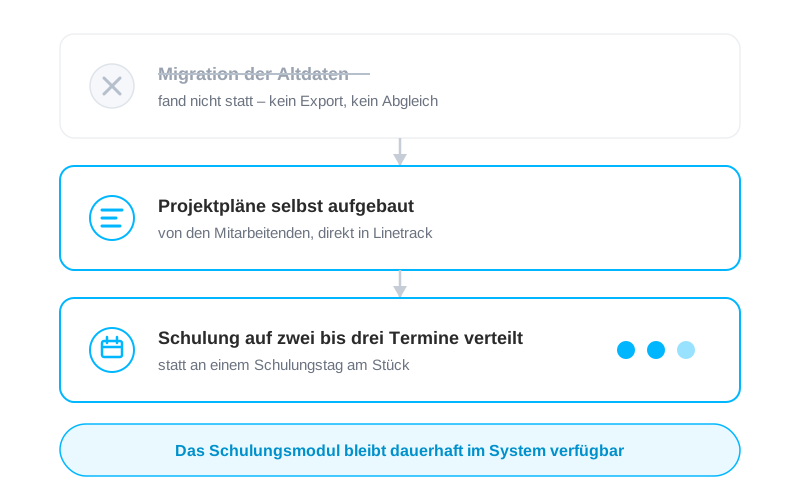
There was no migration of existing projects. Staff at InVENTer built the project plans themselves in Linetrack – so the first plan in the system is the same one they have worked with ever since.
That moves the effort elsewhere. There is no export, no reconciliation and no chasing of data that is already out of date by the time it is transferred. In return, each plan is built once by hand – and whoever built it knows its structure.
The training did not run as a single block but was spread over roughly two to three sessions. After that the training module takes over: it stays in the system, so anyone needing a function for the first time looks it up there rather than trying to recall a session from six months ago. How a Linetrack rollout works in general is set out under introducing Linetrack.
The solution
Four work areas, one project
This is how InVENTer works in Linetrack today.
The project plan and its links
Project planning is at the centre: items, the links between them, and the logic behind those links. When an item moves, the dependent ones move with it instead of someone dragging the plan along behind. On a development project with many departments involved, that is the difference between a plan and a snapshot. See collaborative high-level and detailed planning.

Project tracking instead of a status round
The status sits in the system, not in the heads of the people involved. Anyone who wants to know where a development project stands looks it up – across every project in flight, without starting a round of enquiries. See multi-project management across everything in flight.
Comments, images and files on the project
The work areas hold what otherwise ends up scattered across email threads and chats: comments, images, files, interim results. It all hangs off the project rather than in the inbox of whoever happened to be on the distribution list. Anyone joining later reads back instead of asking to be forwarded things. See collaborative project management across departments.
Open items right on the project
The projects carry lists of open items: open tasks and topics sit where they arise, not in a separate document alongside. The reminders about them run automatically – the point the managing director names as the biggest change. See assigning tasks and tracking them automatically.
The result
The plan carries it, not the follow-up
Three things have changed since the rollout.
What holds today
Reminders run automatically
The managing director describes the effort spent on reminders and follow-ups as significantly reduced, with the team working noticeably more productively.
Open items hang off the project
Open tasks and topics are kept in the project itself rather than in a list alongside it that someone has to maintain and circulate.
The exchange sits with the work
Comments, images and files live in the project rather than scattered across email threads – readable after the fact, including by anyone who joins later.
Common questions
Questions about project management in building and energy systems
Your projects, not our demo data set
30 minutes on one of your real project examples. After that you will know whether the planning and tracking logic fits your organisation.
Which project management software suits a manufacturer in building and energy systems?
Which project management software suits a manufacturer in building and energy systems?
How can open items be tracked directly in the project?
How can open items be tracked directly in the project?
Do you have to migrate legacy data to start with a project management system?
Do you have to migrate legacy data to start with a project management system?
How many training sessions does the rollout take, and what happens afterwards?
How many training sessions does the rollout take, and what happens afterwards?
Does Linetrack also suit manufacturers, not just the trades doing the installation?
Does Linetrack also suit manufacturers, not just the trades doing the installation?
Where do comments, images and files belonging to a project belong?
Where do comments, images and files belonging to a project belong?
Features
Linetrack in detail
The building blocks behind project planning, tracking and open items: