Replacing Excel in Project Management: The Path to Central Planning
Replacing Excel in project planning: why spreadsheets break down once projects run in parallel and how the switch to central planning works.
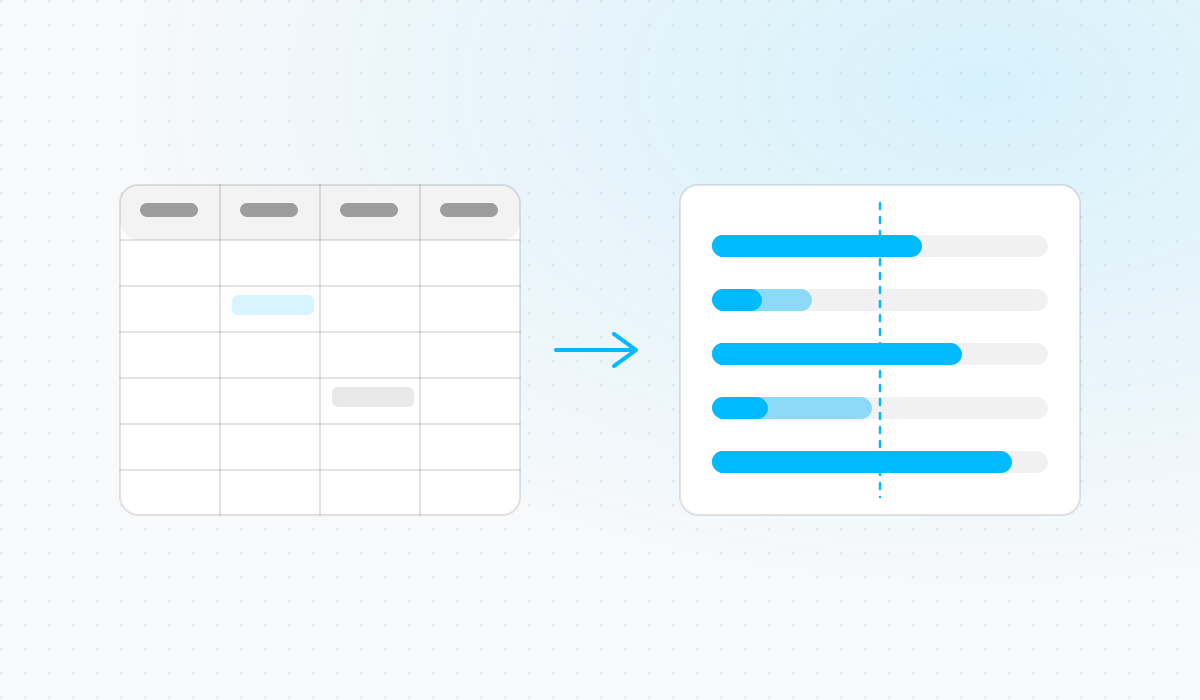

Anyone planning an industrial project in Excel today knows the situation: the schedule lives in one file, a colleague saved her own copy two days ago because she wanted to try something in parallel, and nobody is quite sure any more which version is current. At the same time, capacity planning runs in a second spreadsheet, maintained by someone else who re-enters dates from the first file by hand — the moment something shifts there, the capacity view goes stale until someone notices. For a single project with one owner, none of this is a real problem. But once several projects run in parallel and draw on the same specialists and machines, the Excel file turns into a daily source of errors: hours maintained twice between planning and time tracking, missed scheduling conflicts, follow-up questions that eat up a whole morning. This article covers where Excel structurally breaks down in project planning, what a real migration path looks like in practice, and what actually changes once you are off it.
Where the Excel Plan Actually Breaks Down in Daily Practice
Each individual symptom looks harmless enough on its own. It is only once more than one person depends on the same plan that they combine into a real problem.
Copies Instead of One Shared Plan
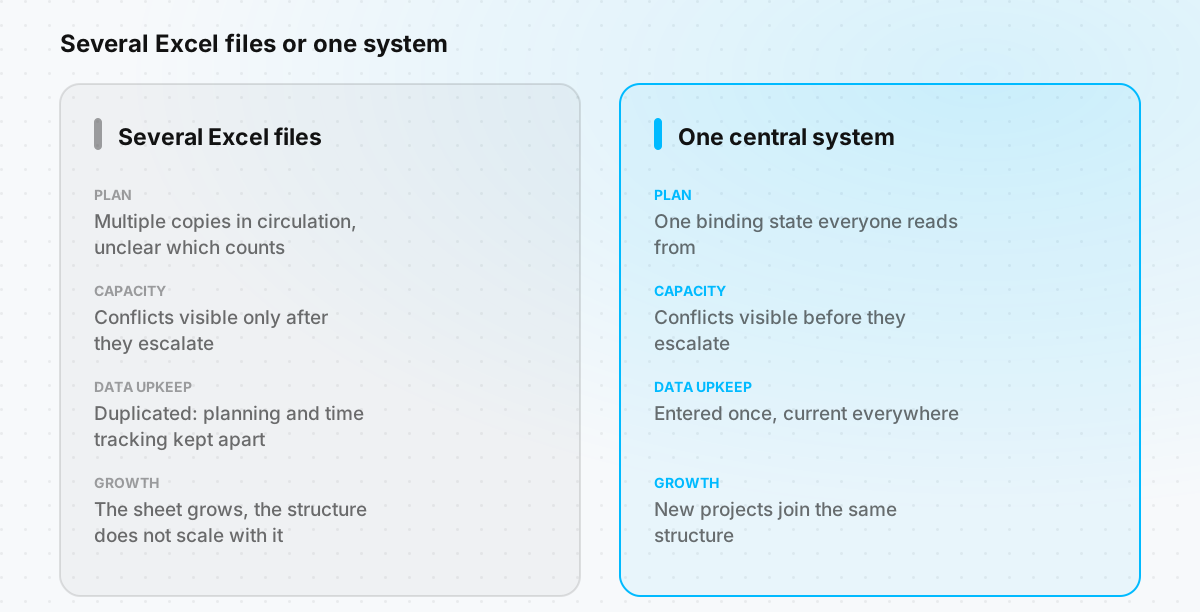
An Excel file technically has one state of record at any given moment. Anyone who wants to try something in parallel, or adjust something without asking first, saves their own version — and from that moment on the plan exists twice, with two possible versions of the truth. Which version currently counts gets settled in practice through the filename, the last-modified date, or a question in chat — never through the system itself. Every status meeting starts by clarifying which version is current before anyone even gets to talk about dates.
Capacity Conflicts Stay Invisible Until They Are Already a Crisis
If every project lives in its own file, the utilization of a department or a machine sits in no single spreadsheet — it only emerges from the sum of every file together. Nobody builds that sum routinely unless someone copies the numbers together by hand. The bottleneck is only discovered once a commitment can no longer be kept.
Dates and Hours Maintained Twice
The planned value sits in the Excel file, the actual time worked in a separate time-tracking system. Keeping both in sync by hand costs ongoing effort and produces discrepancies that only surface at the next plan-vs-actual comparison.
A Spreadsheet That Grows With Every Project, But Not With the Organization
Over the years, links, formulas, and special-case fixes pile up, built by one person and fully understood by nobody else. What started as a simple aid becomes an application with no documentation — workable for a handful of projects, not for a growing portfolio.
Anyone who wants to read these points as a direct feature-by-feature and data comparison will find the detailed breakdown here: Linetrack vs. Excel. The following section instead describes the path there — independent of which target system is ultimately chosen.
What a Real Migration Path Away From Excel Looks Like
The biggest mistake when switching is trying to carry the grown Excel file over one-to-one into the new software — including every special column and every workaround accumulated over the years. A workable migration typically runs in four steps that fall into two phases.
Preparation: Taking Stock and Drawing the Line
- Take stock instead of going on gut feeling: Record what is actually being planned — which projects, which resource types, at what level of detail. This often reveals that some of the maintained columns grew historically and nobody checks them in daily work any more.
- Separate what has to move from what can be simplified away. Not every Excel workaround needs an equivalent in the new system. Some workarounds only existed because Excel structurally could not represent certain things — dependency logic, a shared capacity view, roles per area of responsibility. A system that already brings those capabilities makes the workaround unnecessary rather than something to rebuild.
Rollout: Data Migration and a Step-by-Step Introduction
- Take over the existing plan instead of retyping it. The biggest practical resistance to switching is the prospect of having to manually re-enter years of grown planning files. At Linetrack, the Excel import is already built for exactly this and runs with no development work: project and task lists with dates and hour values are taken over directly from existing planning files. Details are on the Excel integration page.
- Roll it out step by step instead of all at once. A single, manageable project works better as a first test run than switching the whole portfolio at once. That lets you calibrate the new planning depth on one concrete case before applying it to every project simultaneously.
The underlying mindset matters here: the goal is not to replicate every quirk of the old spreadsheet, but to represent the actual planning task — dates, capacity, responsibilities — in a system built for it.
What Changes Once Excel Is No Longer the Central Planning File
Cross-Project Utilization in Real Time
The most noticeable difference does not show up on day one, but once the second or third project is running in the new environment. Instead of several files that would have to be merged by hand, the utilization of teams, departments, and machines becomes available as a continuously current, cross-project view — a central building block of what is captured in practice under multi-project management. A date that shifts feeds straight into that view instead of only becoming visible at the next manual reconciliation. And because actuals from time tracking flow back into the same plan, the double maintenance between planning and reporting disappears.
Excel as the Standard Route, Not a Special Case
That Excel is by far the most common starting point also shows in the number of tools already replaced: of more than 400 planning tools replaced at Linetrack customers so far, most were Excel lists. Moving away from Excel is therefore not a special case, but the standard route by which most industrial companies arrive at Linetrack.
FAQ
Frequently Asked Questions About Moving Away From Excel in Project Management
Why does Excel eventually stop being enough for project planning?
Why does Excel eventually stop being enough for project planning?
What are the day-to-day warning signs that Excel is hitting its limits?
What are the day-to-day warning signs that Excel is hitting its limits?
Does every Excel formula and workaround need to be rebuilt one-to-one during a migration?
Does every Excel formula and workaround need to be rebuilt one-to-one during a migration?
Do existing Excel planning files need to be completely re-entered during a switch?
Do existing Excel planning files need to be completely re-entered during a switch?
Does Excel disappear from the company entirely once a planning software is introduced?
Does Excel disappear from the company entirely once a planning software is introduced?
What changes for project management day to day after the switch?
What changes for project management day to day after the switch?
Anyone who wants to see what their own Excel plan looks like as a live plan in Linetrack can find out in a short demo: Book a demo →